
A Shopify webshop is an online store built and managed with Shopify, an ecommerce platform that provides tools for selling products online, managing inventory, processing payments, and customizing the storefront.
For businesses looking to launch an ecommerce website without building every component from scratch, Shopify provides a ready-made foundation that can be adapted to different industries, business models, and growth stages.
But what exactly makes a Shopify webshop different from a traditional ecommerce website? And what should you consider when building one?
Let’s take a closer look.
I. What Is a Shopify Webshop?
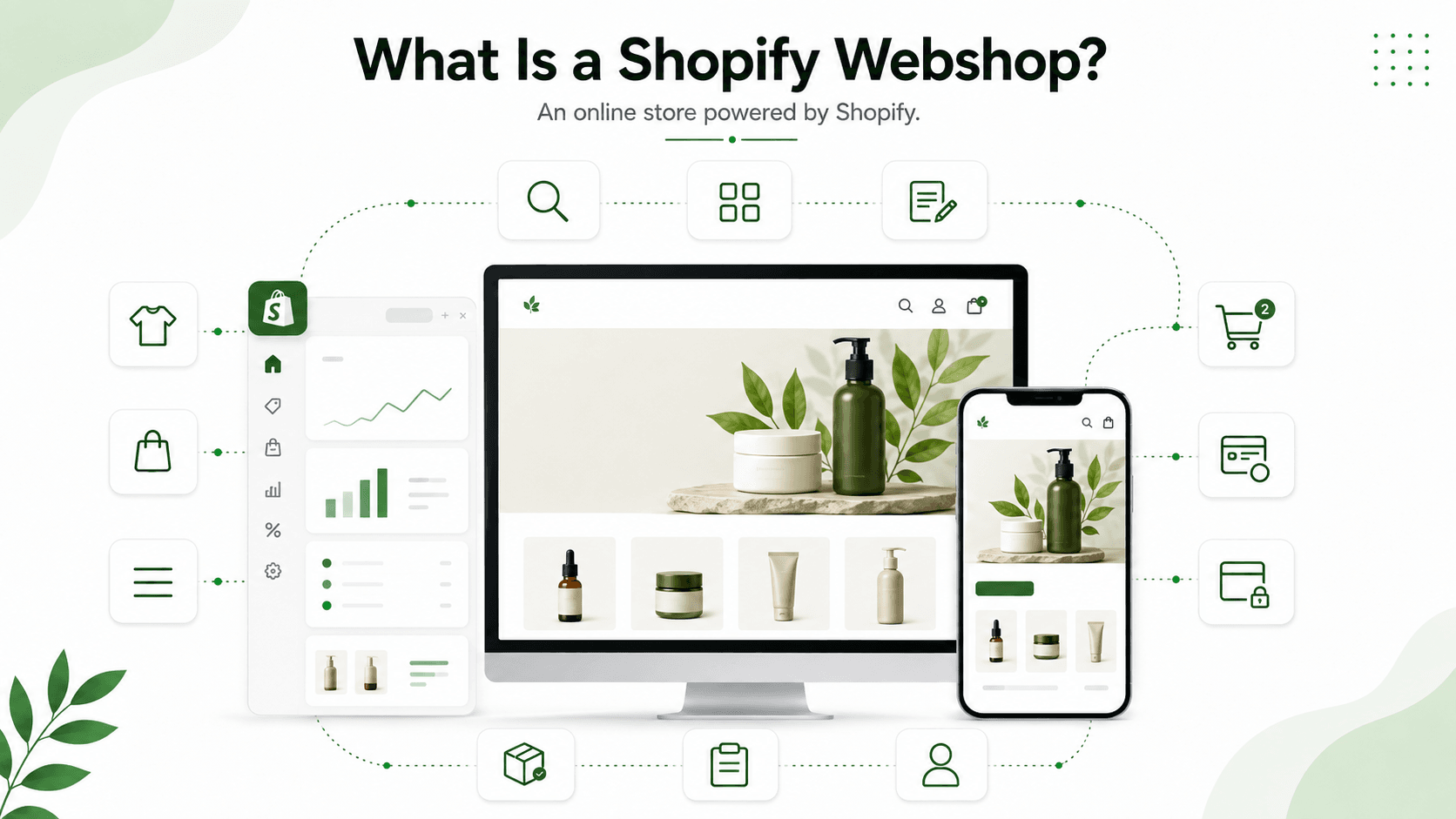
A Shopify webshop is essentially an online shop powered by Shopify.
It provides the main components needed to operate an ecommerce business, including:
- Product pages
- Product collections
- Shopping cart
- Checkout
- Payment processing
- Order management
- Inventory management
- Customer accounts
- Store navigation
- Search and filtering
- Content pages and blogs
Shopify's Online Store also supports custom domains, responsive themes, store filters, menus, and accelerated checkout options.
Unlike a website that requires businesses to build and maintain their own ecommerce infrastructure, Shopify provides much of the underlying commerce functionality out of the box.
This allows merchants to focus more on products, customers, branding, and growth rather than maintaining the entire technical infrastructure.
II. How Does a Shopify Webshop Work?
A typical Shopify webshop consists of several interconnected components.
1. Shopify Admin
The Shopify admin is where merchants manage their store.
From the admin, businesses can manage:
- Products
- Collections
- Orders
- Customers
- Inventory
- Discounts
- Marketing
- Store settings
- Themes
- Apps
Products added to Shopify can then be displayed on the online storefront. Shopify also automatically connects the store with its checkout and order fulfillment settings. Shopify Help Center
2. Online Storefront
The storefront is the part customers see when they visit the webshop.
This includes:
- Homepage
- Collection pages
- Product pages
- Cart
- Search
- Navigation
- Content pages
- Blog
The visual appearance and layout of the storefront are largely controlled by the Shopify theme.
Shopify themes use templates, sections, and blocks to structure different types of pages.
3. Shopping Cart
Customers can select products and add them to their shopping cart before proceeding to checkout.
Depending on the theme, the cart can be presented as a:
- Cart page
- Cart drawer
- Popup notification
Shopify's theme settings allow merchants to configure these cart experiences.
4. Shopify Checkout
Once customers are ready to purchase, they proceed through Shopify Checkout.
Here, they provide information such as:
- Shipping details
- Contact information
- Payment details
Shopify Checkout processes the order and checks inventory availability during the checkout process.
III. Key Features of a Shopify Webshop
One of the biggest advantages of Shopify is that merchants don't need to build every ecommerce feature from zero.
1. Product Management
Shopify provides tools for creating and managing products, including:
- Product names
- Descriptions
- Images
- Videos
- Prices
- Variants
- Inventory
- Product organization
Products can then be displayed through product pages and collections.
2. Collections
Collections help merchants organize products into categories.
For example, a fashion webshop might have:
- New Arrivals
- Women's Clothing
- Men's Clothing
- Shoes
- Accessories
- Sale
Collection pages can be customized through Shopify's theme templates.
3. Responsive Themes
Shopify offers free and paid themes that provide different layouts, styles, and ecommerce experiences.
Merchants can customize elements such as:
- Colors
- Typography
- Layout
- Images
- Sections
- Navigation
- Cart experience
The Shopify theme editor allows merchants to make many of these changes without directly editing code.
For more advanced customization, developers can work with HTML, CSS, JavaScript, and Shopify's theme development tools.
4. Search and Product Filtering
As a webshop grows, customers need an easy way to find products.
Shopify supports storefront search and filtering functionality, helping customers navigate larger product catalogs more efficiently.
For stores with complex catalogs or advanced search requirements, additional apps or custom development may be appropriate.
5. Checkout and Payments
Shopify provides an integrated checkout experience for online purchases.
Depending on the store configuration and market, merchants can provide customers with available payment methods and delivery options during checkout.
6. Apps and Integrations
Another important part of the Shopify ecosystem is the Shopify App Store.
Apps can extend a webshop with additional capabilities such as:
- Reviews
- Email marketing
- Loyalty programs
- Search
- Product recommendations
- Analytics
- Customer support
- Shipping
- Inventory management
Shopify itself describes apps as one of the ways merchants can expand their store's functionality.
IV. Shopify Webshop vs. Traditional Ecommerce Website
A Shopify webshop and a traditional ecommerce website can both sell products online, but the underlying approach can be very different.
A smaller brand may benefit from Shopify's speed and simplicity, while a large enterprise with highly specialized requirements may need a more customized architecture.
V. How to Build a Shopify Webshop
Building a Shopify webshop usually involves several key stages.
Step 1: Define Your Ecommerce Requirements
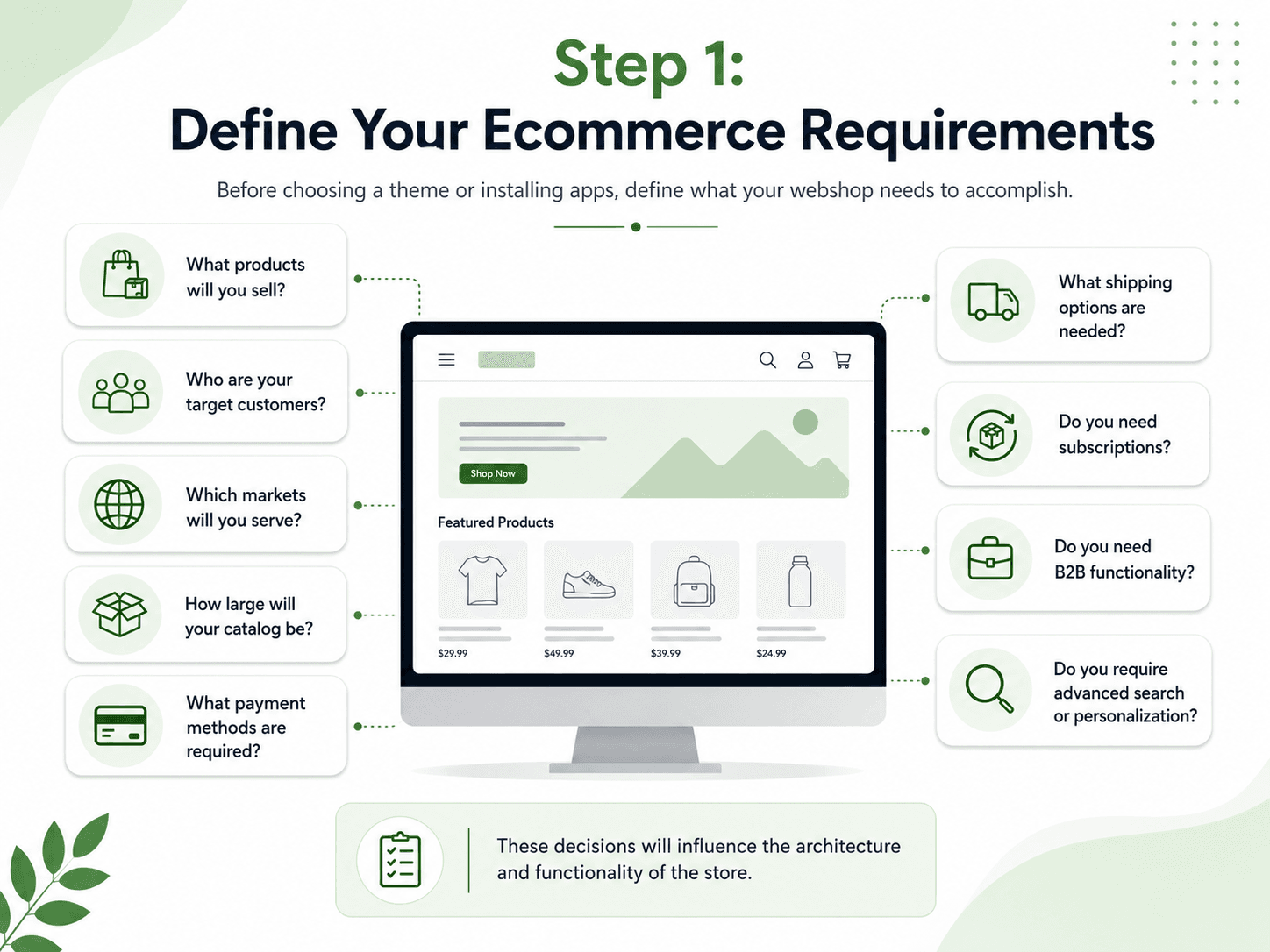 Before choosing a theme or installing apps, define what the webshop needs to accomplish.
Consider:
- What products will you sell?
- Who are your target customers?
- Which markets will you serve?
- How large will your catalog be?
- What payment methods are required?
- What shipping options are needed?
- Do you need subscriptions?
- Do you need B2B functionality?
- Do you require advanced search or personalization?
These decisions will influence the architecture and functionality of the store.
Step 2: Choose a Shopify Plan
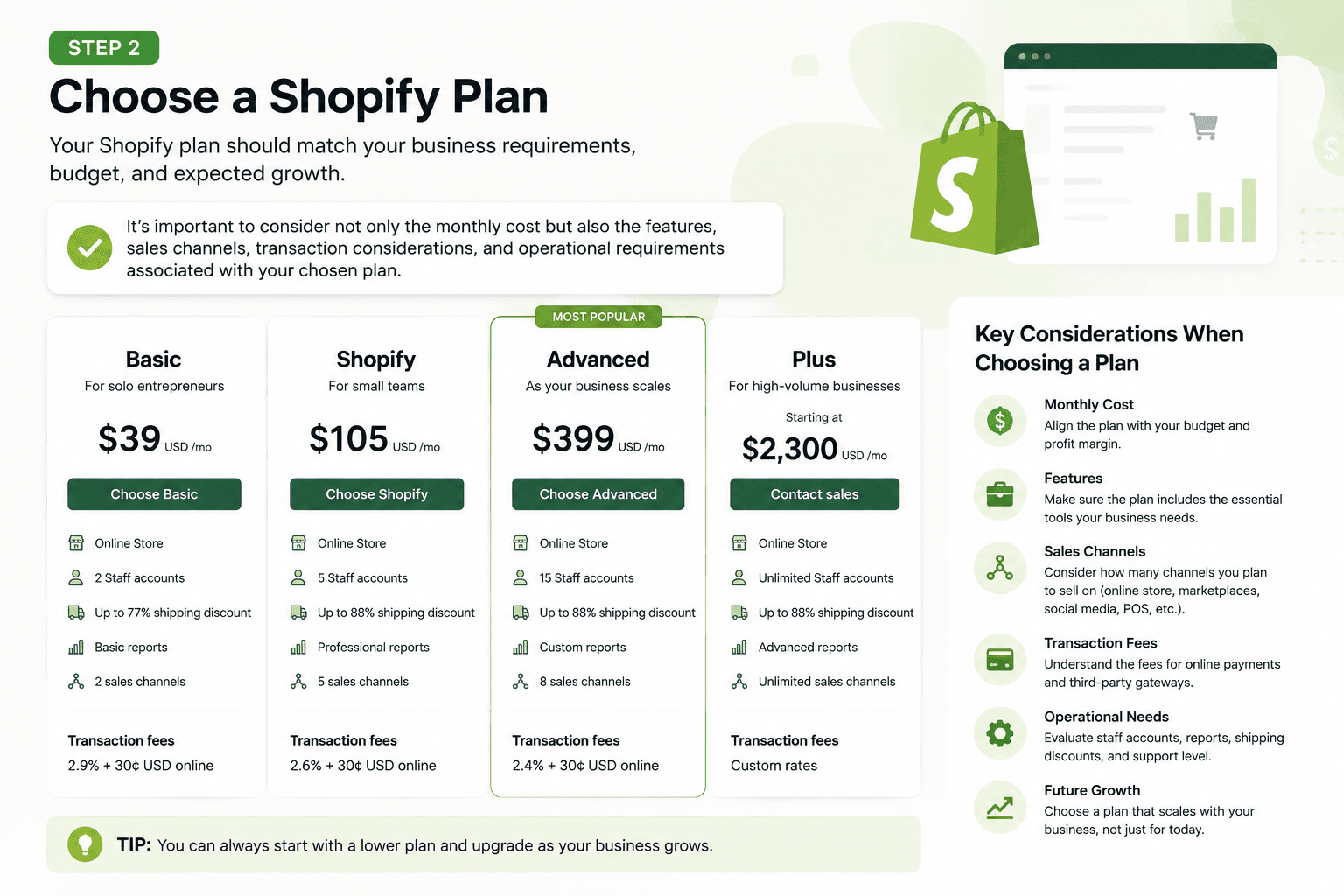 Your Shopify plan should match your business requirements, budget, and expected growth.
It's important to consider not only the monthly cost but also the features, sales channels, transaction considerations, and operational requirements associated with your chosen plan.
Step 3: Choose a Theme
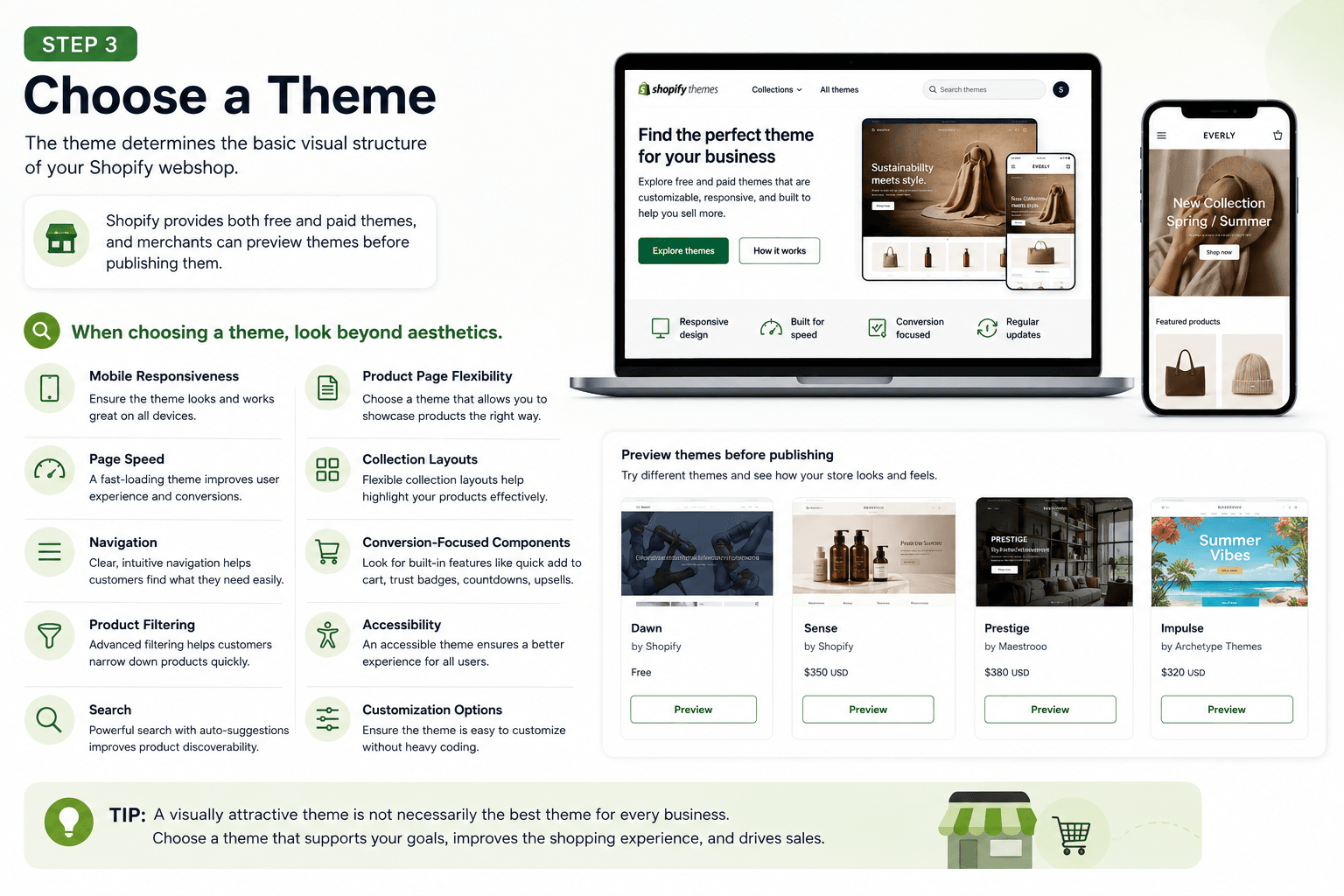 The theme determines the basic visual structure of your Shopify webshop.
Shopify provides both free and paid themes, and merchants can preview themes before publishing them.
When choosing a theme, look beyond aesthetics.
Consider:
- Mobile responsiveness
- Page speed
- Navigation
- Product filtering
- Search
- Product page flexibility
- Collection layouts
- Conversion-focused components
- Accessibility
- Customization options
A visually attractive theme is not necessarily the best theme for every business.
Step 4: Add Products and Collections
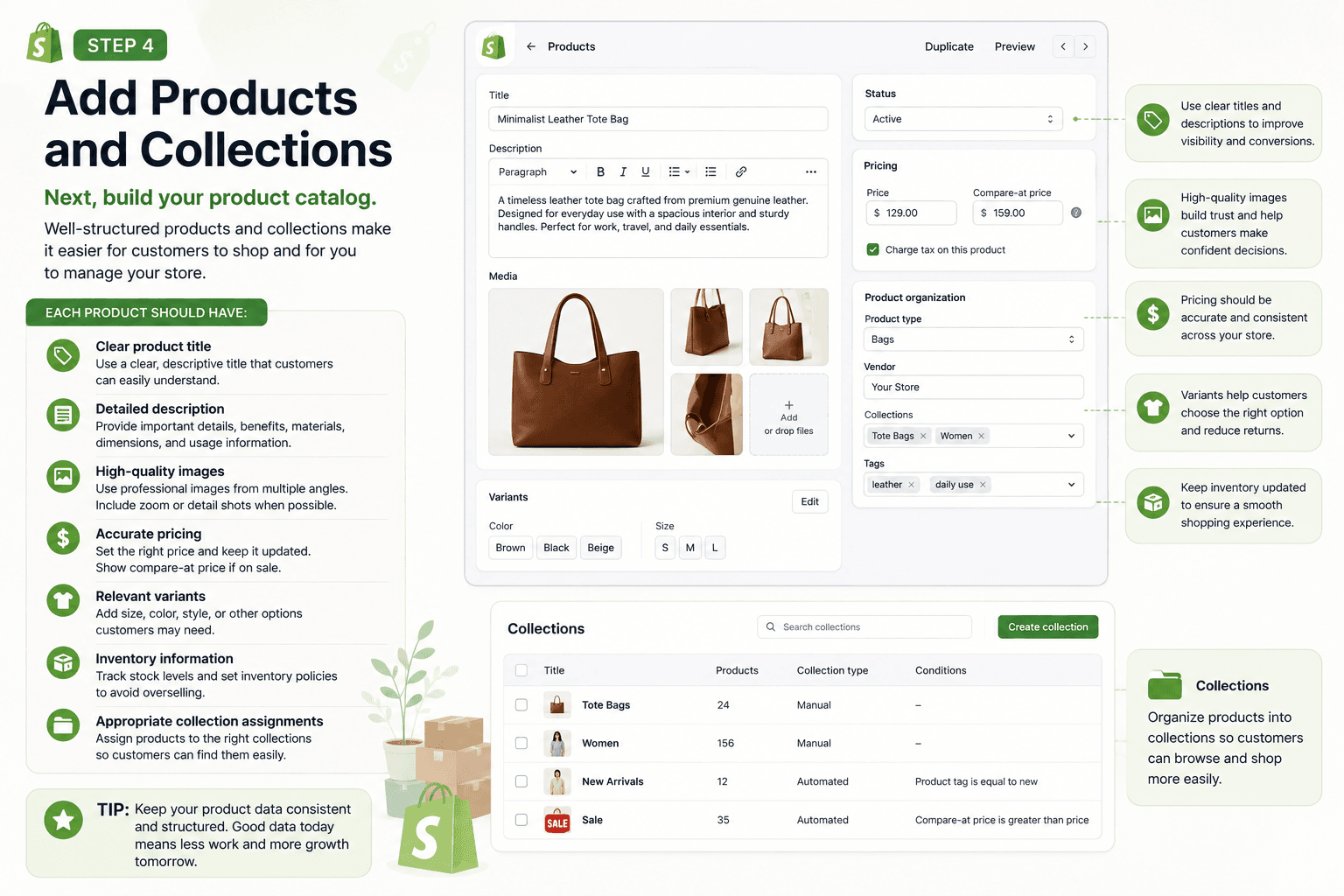
Next, build your product catalog.
Each product should have:
- Clear product title
- Detailed description
- High-quality images
- Accurate pricing
- Relevant variants
- Inventory information
- Appropriate collection assignments
Your product data should also be structured consistently to make the store easier to manage as the catalog grows.
Step 5: Customize Your Storefront
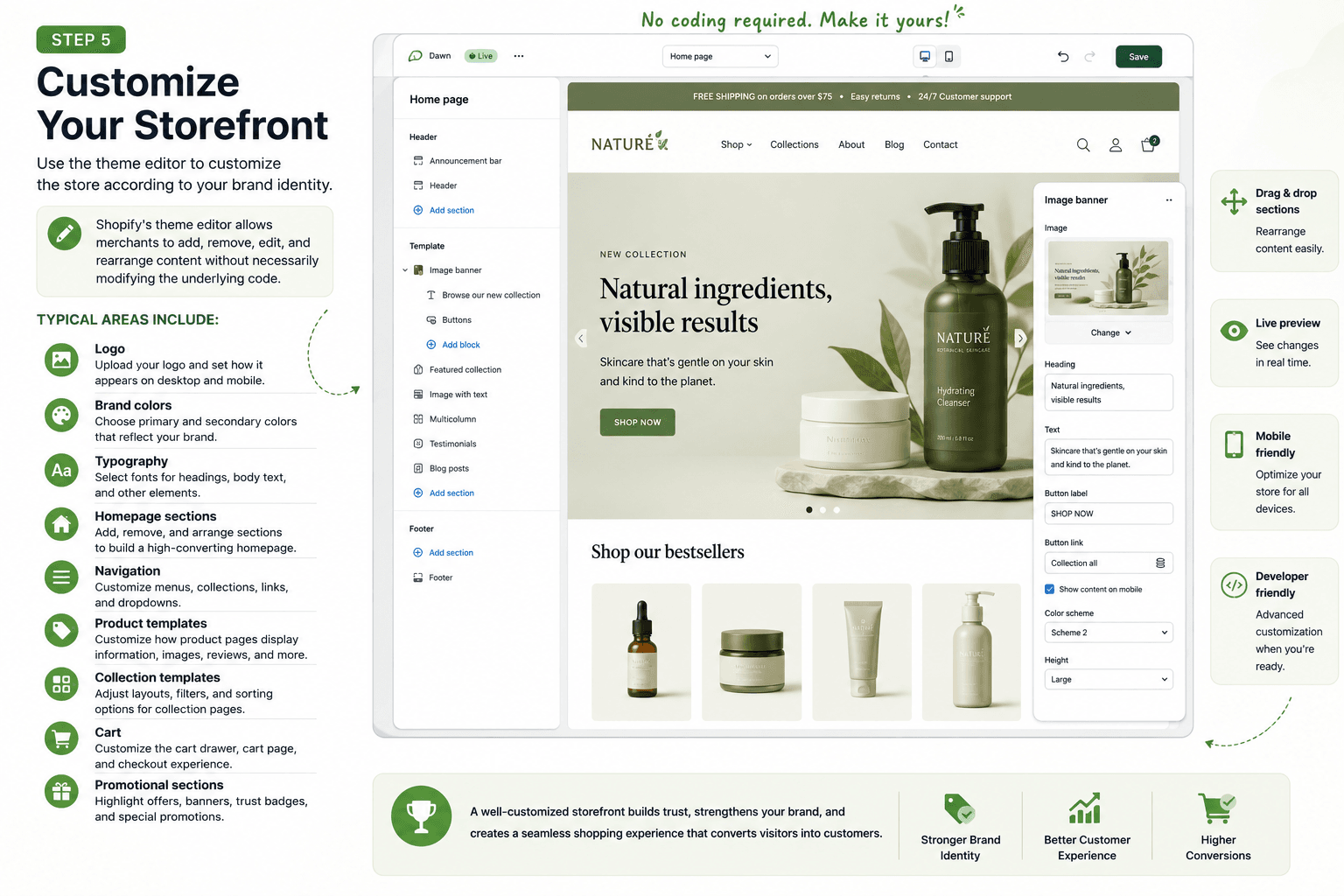 Use the theme editor to customize the store according to your brand identity.
Typical areas include:
- Logo
- Brand colors
- Typography
- Homepage sections
- Navigation
- Product templates
- Collection templates
- Cart
- Promotional sections
Shopify's theme editor allows merchants to add, remove, edit, and rearrange content without necessarily modifying the underlying code.
Step 6: Configure Checkout, Payments, and Shipping
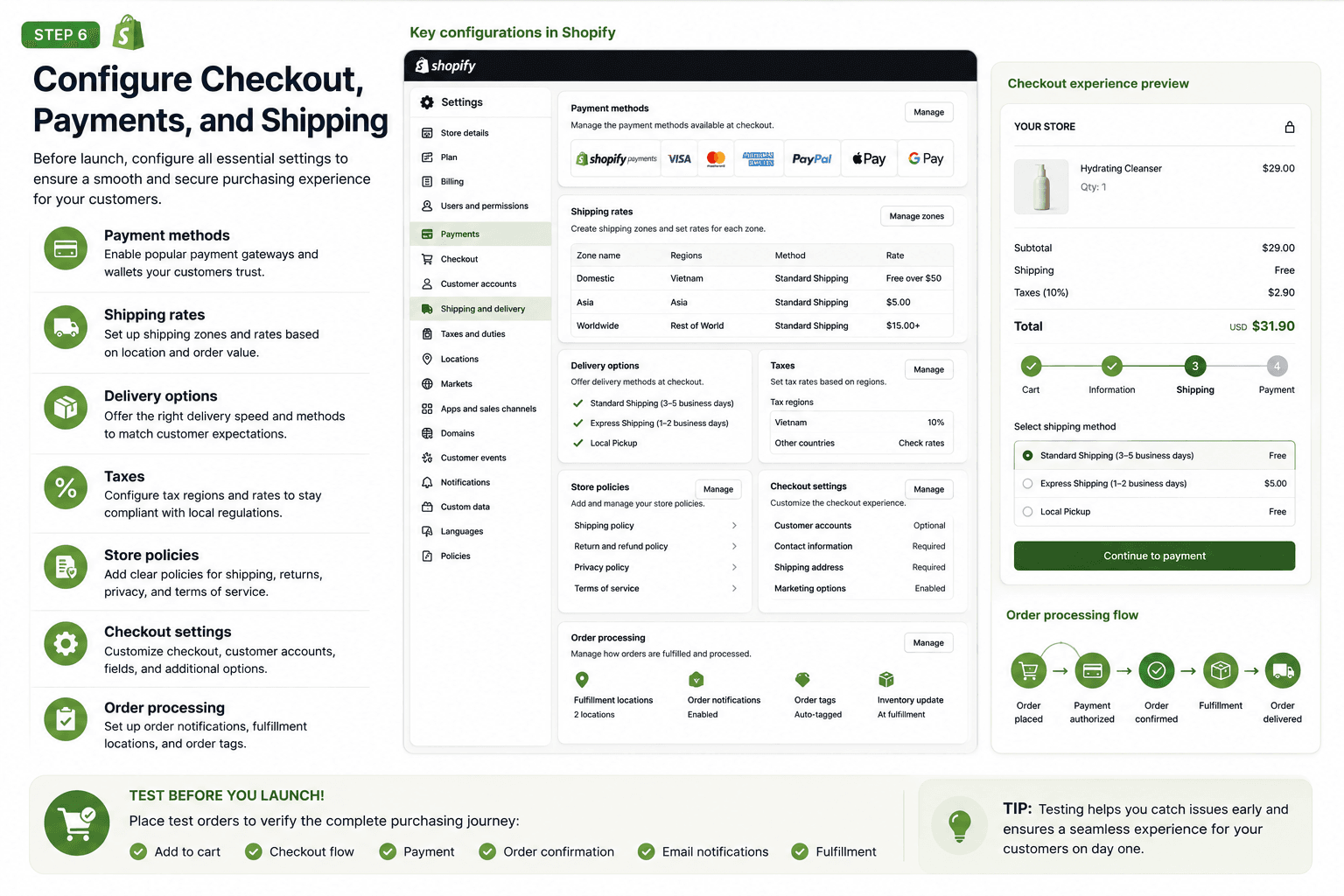 Before launch, configure:
- Payment methods
- Shipping rates
- Delivery options
- Taxes
- Store policies
- Checkout settings
- Order processing
You should also place test orders to verify the complete purchasing journey.
Step 7: Add Necessary Apps
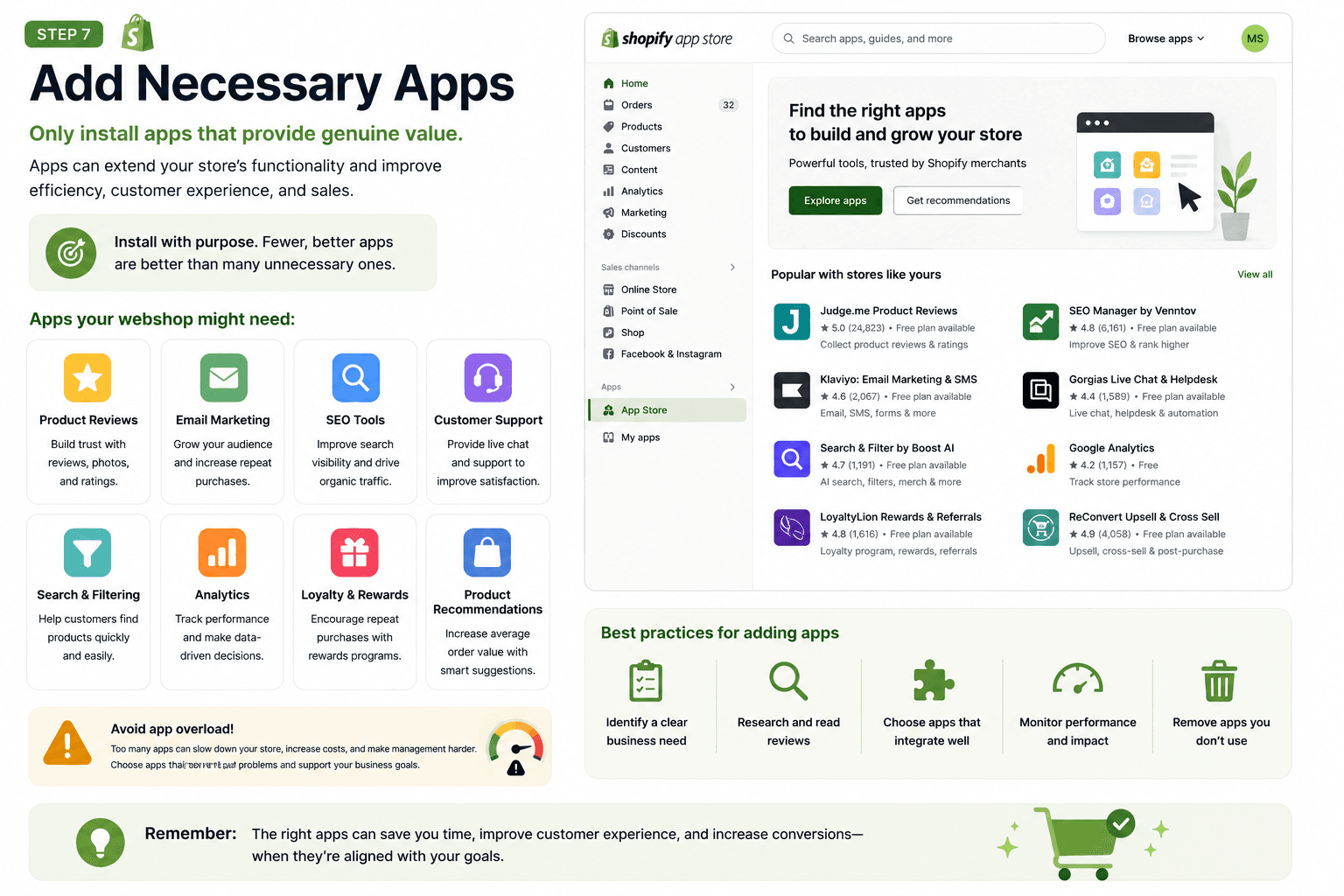 Only install apps that provide genuine value.
For example, a webshop might need:
- Product reviews
- Email marketing
- SEO tools
- Customer support
- Search and filtering
- Analytics
- Loyalty
- Product recommendations
Installing too many apps can increase complexity, so every app should have a clear business purpose.
Step 8: Test Before Launch
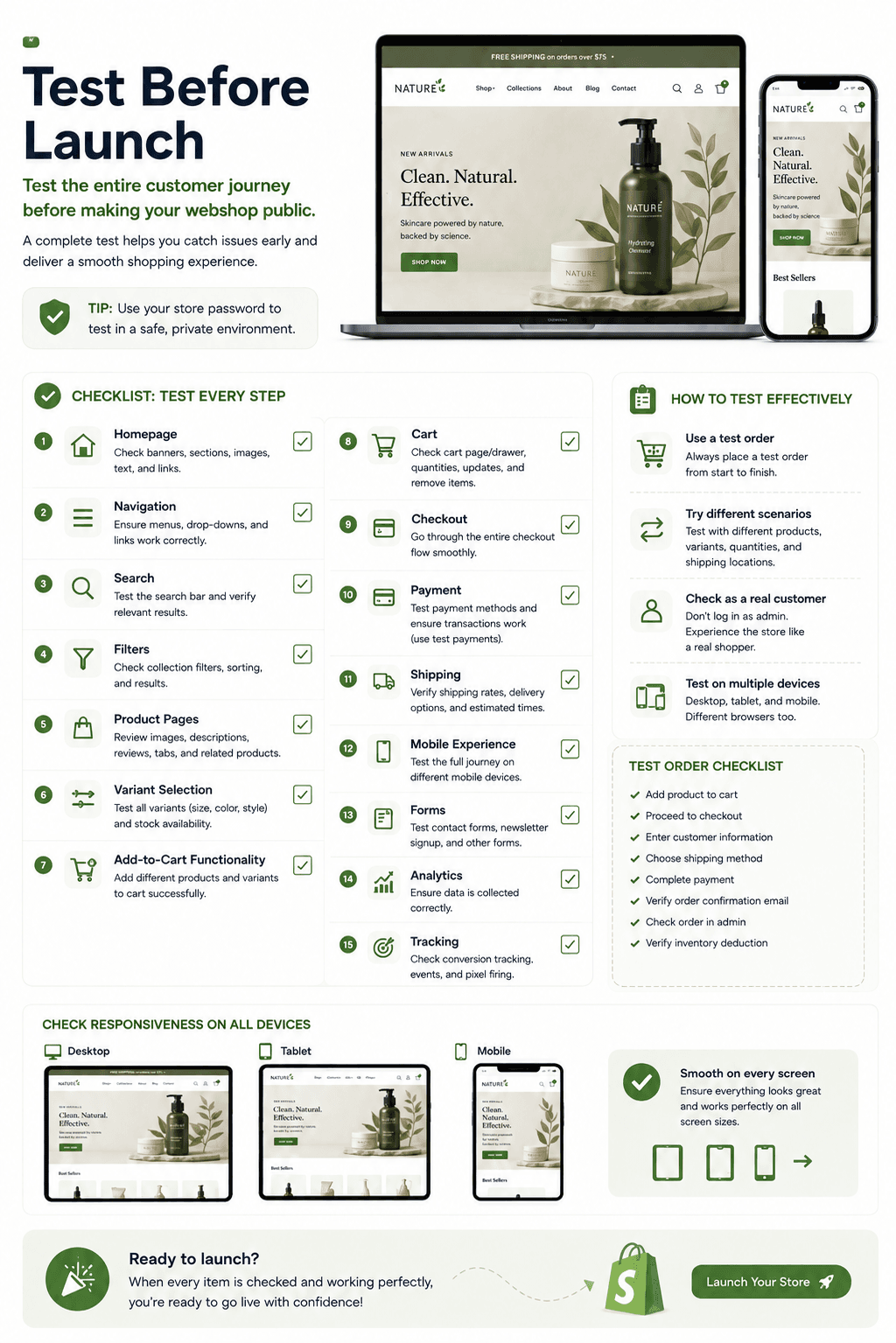 Before making the webshop public, test the entire customer journey.
Check:
- Homepage
- Navigation
- Search
- Filters
- Product pages
- Variant selection
- Add-to-cart functionality
- Cart
- Checkout
- Payment
- Shipping
- Mobile experience
- Forms
- Analytics
- Tracking
Testing on both desktop and mobile is particularly important because Shopify themes are designed to support responsive storefront experiences.
VI. How Much Customization Does a Shopify Webshop Offer?
Shopify is not limited to pre-built templates.
There are several levels of customization.
Level 1: Theme Customization
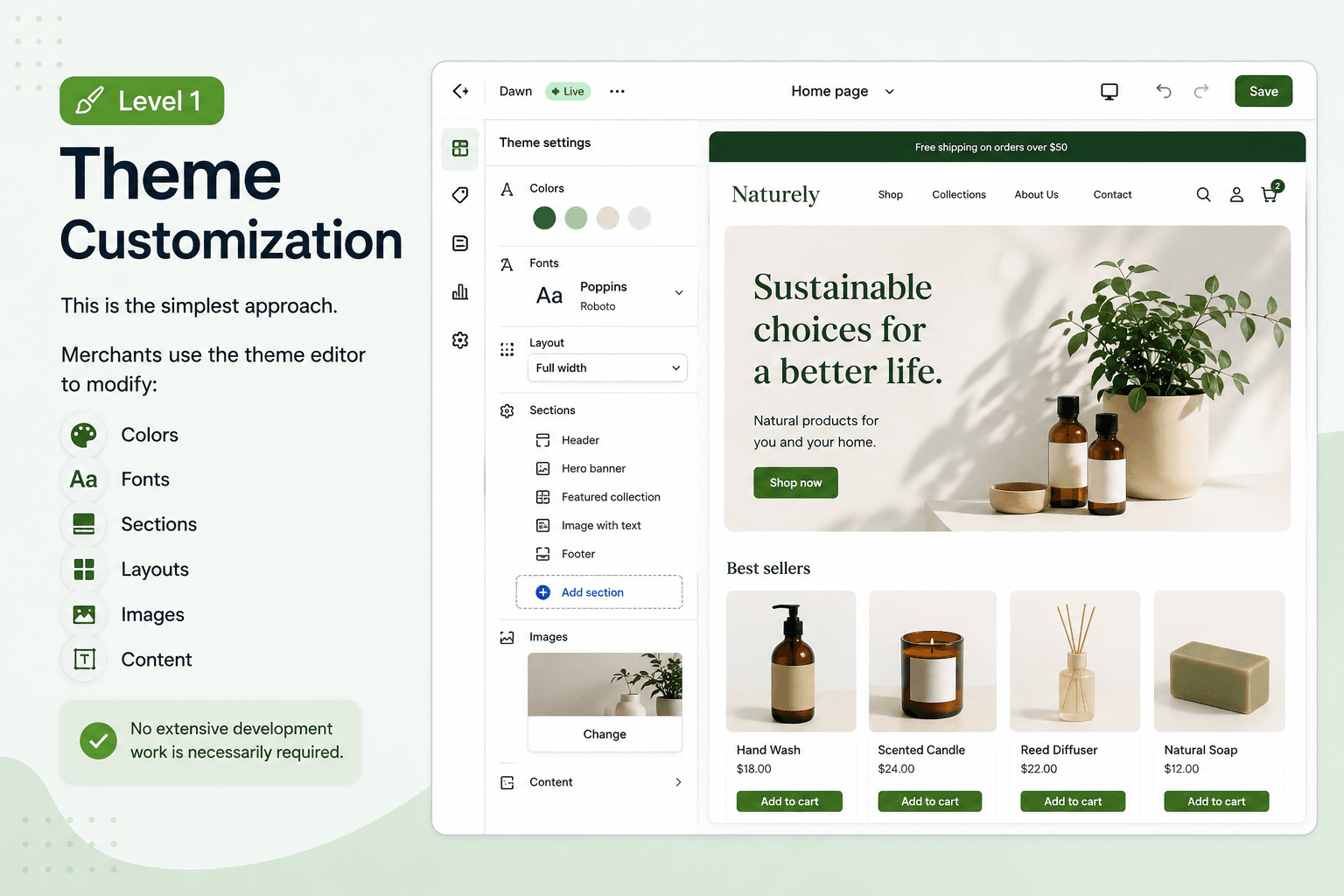 This is the simplest approach.
Merchants use the theme editor to modify:
- Colors
- Fonts
- Sections
- Layouts
- Images
- Content
No extensive development work is necessarily required.
Level 2: Custom Theme Development
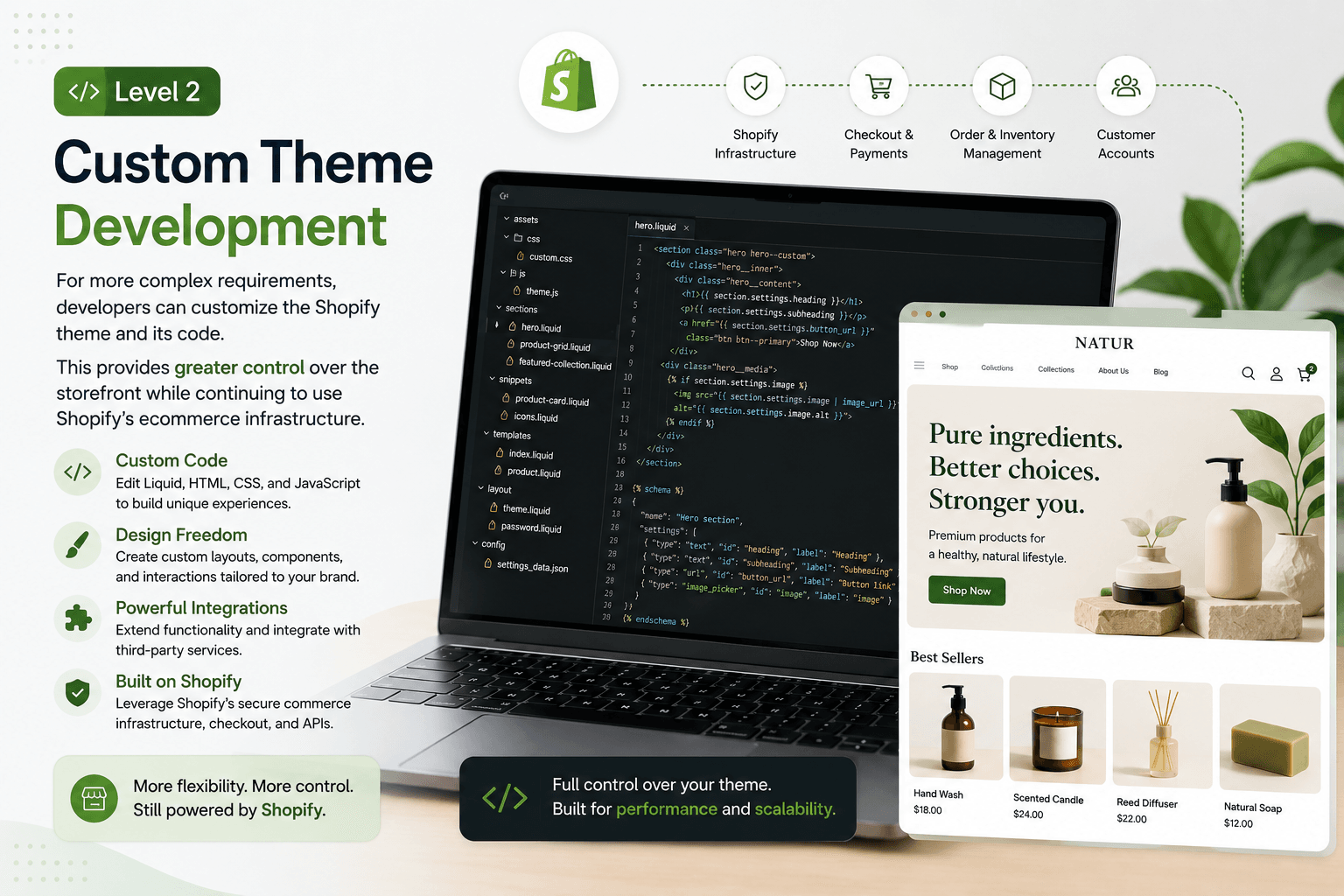
For more complex requirements, developers can customize the Shopify theme and its code.
This provides greater control over the storefront while continuing to use Shopify's ecommerce infrastructure.
Level 3: Custom Storefront
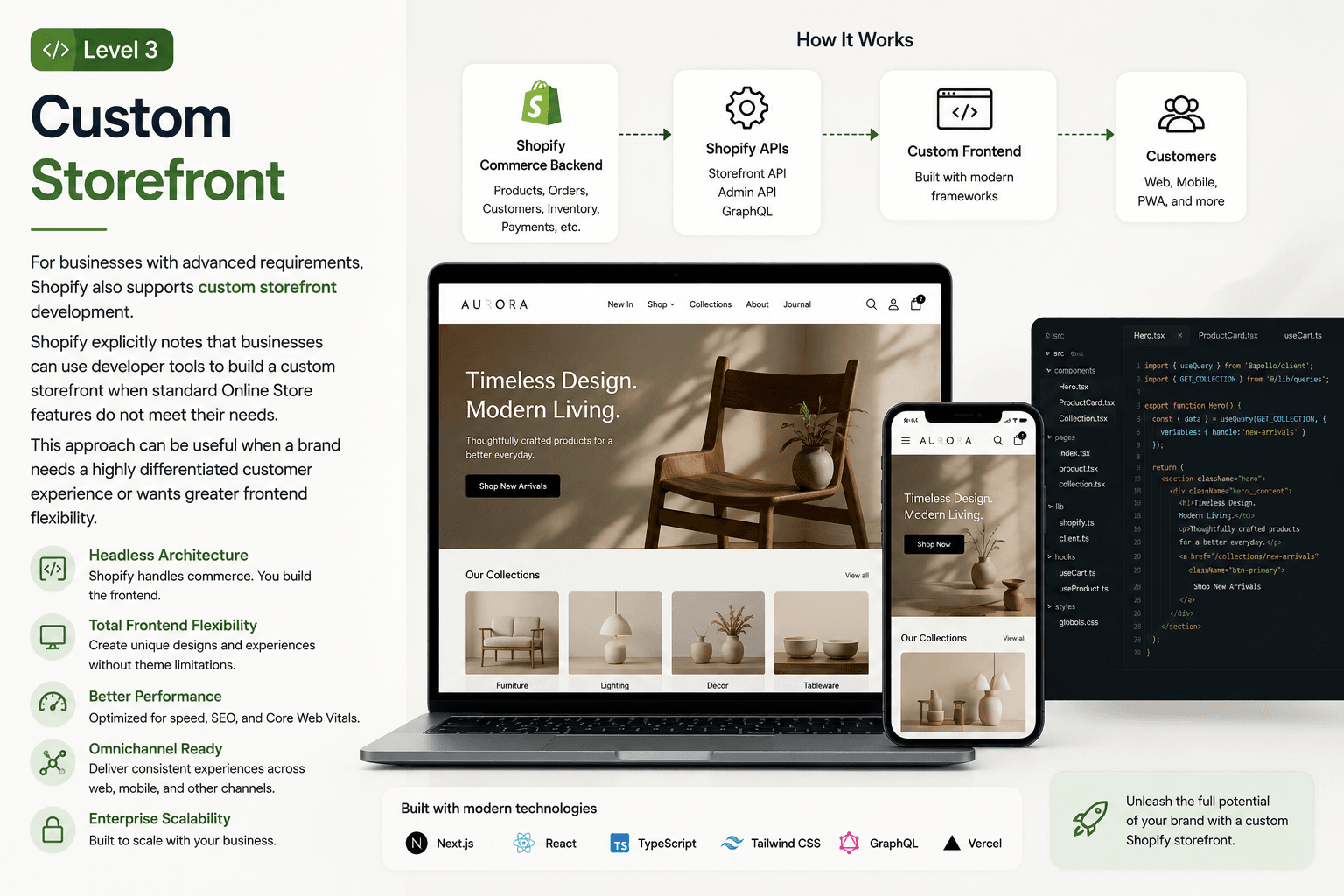
For businesses with advanced requirements, Shopify also supports custom storefront development.
Shopify explicitly notes that businesses can use developer tools to build a custom storefront when standard Online Store features do not meet their needs.
This approach can be useful when a brand needs a highly differentiated customer experience or wants greater frontend flexibility.
VII. When Should You Choose a Shopify Webshop?
Shopify can be a strong choice if your business wants to:
- Launch an ecommerce store relatively quickly
- Avoid managing ecommerce infrastructure from scratch
- Use a large ecosystem of apps and integrations
- Manage products and orders from one platform
- Customize the storefront without rebuilding the entire commerce backend
- Scale from a small online store toward a larger ecommerce operation
It can be particularly attractive for brands that want to prioritize commerce operations and customer experience without taking full responsibility for the underlying ecommerce infrastructure.
VIII. When Is a Custom Shopify Webshop Better Than a Standard Theme?
A standard Shopify theme may be enough for a straightforward ecommerce business.
However, custom development becomes more valuable when you need:
- A highly distinctive brand experience
- Complex product configurations
- Advanced merchandising
- Custom navigation
- Specialized search
- Complex integrations
- Unique customer journeys
- Better control over frontend architecture
- Advanced performance optimization
In these situations, simply adding more apps to an existing theme may not be the best long-term solution.
A custom Shopify storefront can provide greater control over the customer-facing experience while Shopify continues to handle the commerce layer.
XI. Shopify Webshop vs. Shopify Headless
For businesses with more advanced ecommerce requirements, the next question is often whether to use a traditional Shopify storefront or a headless Shopify architecture.
1. Traditional Shopify Webshop
With a traditional setup:
Shopify → Theme → Storefront → Customer
Shopify manages both the commerce backend and the primary storefront experience.
This is generally simpler to launch and maintain.
2. Headless Shopify
With headless commerce:
Shopify → APIs → Custom Frontend → Customer
The commerce backend remains on Shopify, while the frontend is developed separately using technologies such as React-based frameworks.
This provides greater control over:
- User experience
- Frontend architecture
- Performance
- Content presentation
- Omnichannel experiences
- Custom interactions
However, headless also introduces additional development and maintenance complexity.
Therefore, headless should not automatically be considered "better." The right choice depends on your business requirements, technical capabilities, budget, and long-term goals.
X. Best Practices for a Successful Shopify Webshop
Building the store is only the beginning. A successful webshop should also be optimized continuously.
1. Prioritize Mobile Experience
Your product discovery, navigation, product pages, cart, and checkout should work smoothly on smaller screens.
2. Keep Navigation Simple
Customers should be able to find important product categories quickly.
Avoid unnecessarily complicated navigation structures.
3. Optimize Product Pages
A strong product page should provide the information customers need to make a purchasing decision.
Include:
- Clear product images
- Concise descriptions
- Pricing
- Variants
- Availability
- Shipping information
- Reviews where appropriate
- Strong calls to action
4. Focus on Performance
A beautiful webshop that loads slowly can create a poor customer experience.
Optimize:
- Images
- Third-party scripts
- Apps
- Fonts
- JavaScript
- Page structure
5. Avoid Excessive Apps
Apps can add useful functionality, but unnecessary apps can make your store harder to manage.
Review your app stack regularly and remove tools that no longer provide sufficient value.
6. Design for Conversion
Your webshop should make the buying journey clear.
Pay attention to:
Landing page → Product discovery → Product page → Cart → Checkout → Purchase
Every step should have a clear purpose.
Final Thoughts
A Shopify webshop provides businesses with a practical foundation for launching and managing an online store.
It combines ecommerce functionality, storefront customization, checkout, product management, apps, and integrations within one ecosystem.
For many businesses, a standard Shopify theme can provide everything they need to launch and grow. For brands with more demanding requirements, custom theme development or a headless Shopify storefront can provide greater flexibility.
The key is not simply choosing Shopify. It is choosing the right Shopify architecture for your business stage, customer experience, and growth strategy.
If you are planning to build a Shopify webshop, start by defining your business requirements first. Then determine whether a standard theme, custom Shopify theme, or headless storefront is the most appropriate solution.
Read more: