
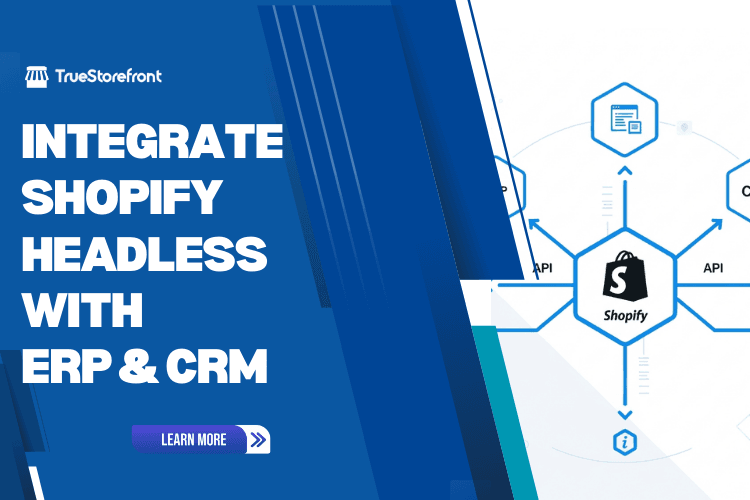
Shopify Headless has become a preferred architecture for brands aiming to build faster, more flexible, and highly customized ecommerce experiences. However, the real value of going headless is unlocked only when your store connects seamlessly with backend platforms such as ERP, CRM, and marketing systems. These integrations centralize data, automate operations, and power personalized customer journeys across channels. This guide explains how Shopify Headless integrates with ERP and CRM systems, key architectural approaches, and best practices for ensuring reliable and scalable connections.
I. Why Integrate Shopify Headless with ERP CRM and Marketing Platforms
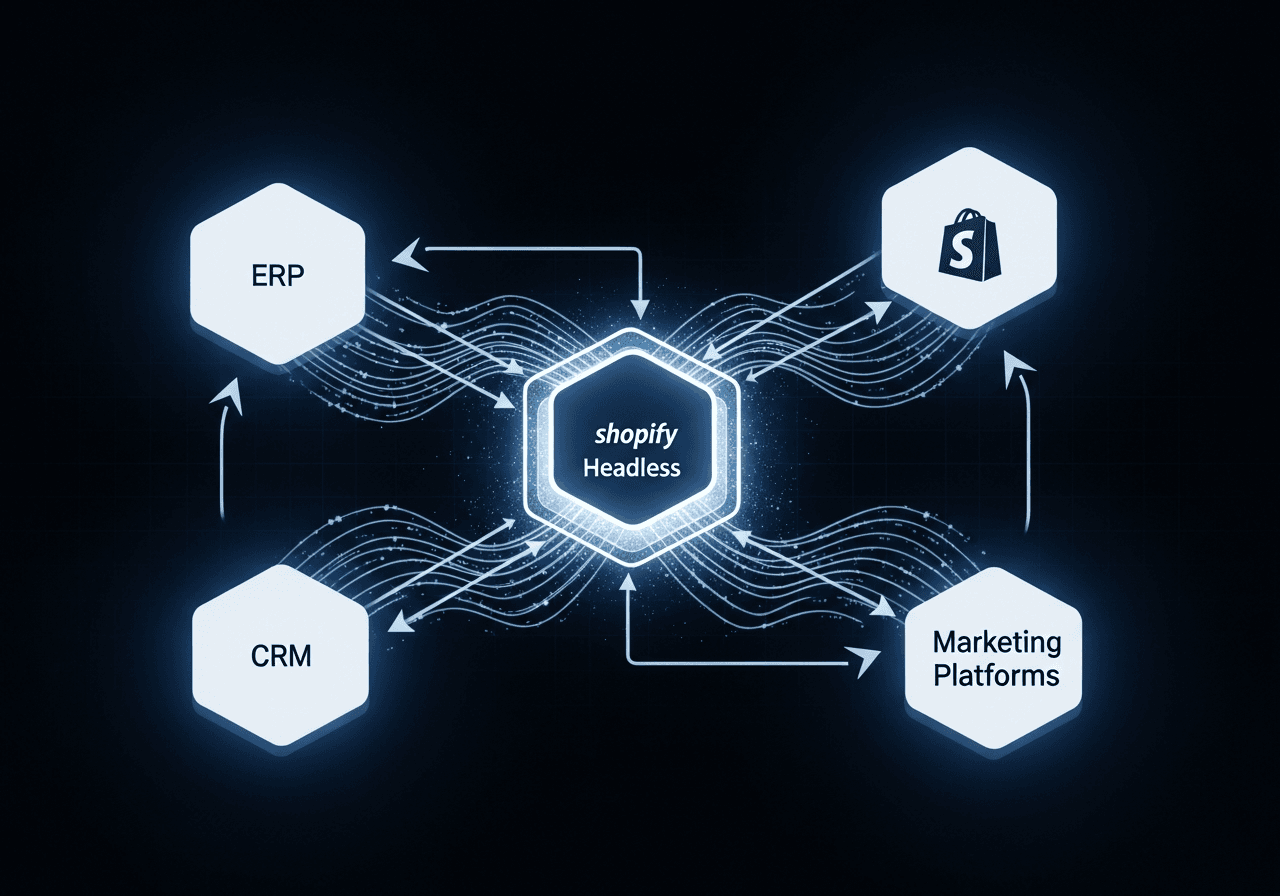
1. Unified Data for Real-Time Decision-Making
In traditional Shopify setups, data remains largely siloed unless manually synced or supported by external apps. In headless environments, brands typically manage multiple digital touchpoints. Without central integration, each channel risks creating fragmented customer and product data.
By connecting Shopify Headless with ERP and CRM systems, businesses gain:
- A single source of truth for inventory and pricing
- Consolidated customer profiles from multiple channels
- Accurate logistics and financial reporting
- Real-time visibility across the entire commerce cycle
This reduces operational friction and ensures that all teams work with consistent up-to-date information.
2. Enhanced Personalization and Customer Experiences
CRM integration plays a crucial role in delivering cohesive omnichannel experiences. When customer behavior from headless storefronts flows into CRM systems, brands can activate personalized marketing through:
- Segmented email automation
- Multi-channel retargeting
- Dynamic product recommendations
- Loyalty and retention workflows
This level of personalization is difficult to execute without robust data synchronization between Shopify and a CRM platform.
3. Operational Efficiency and Automation through ERP
ERP systems such as NetSuite, SAP, or Microsoft Dynamics streamline critical backend processes:
- Inventory allocation
- Order management and routing
- Purchasing and procurement
- Accounting workflows
- Warehouse automation
Integrating Shopify Headless with ERP eliminates manual data handling, reduces errors, and accelerates order fulfillment.
4. Scalable Marketing Across Multiple Platforms
Headless commerce often spans multiple frontends: web apps, PWAs, marketplaces, social commerce, mobile apps, and conversational commerce channels. To orchestrate marketing across these environments, integrations with CDP, marketing automation, and analytics tools are essential.
II. Key Systems to Integrate with Shopify Headless
1. ERP Systems
Common ERP options for Shopify Headless include:
- NetSuite
- SAP Business One
- Microsoft Dynamics 365
- Odoo
- Oracle ERP Cloud
- Acumatica
- Infor
Why integrate
- Real-time stock sync
- Automated order routing
- Financial reconciliation
- Supplier management
- Warehouse integrations
For enterprise environments, this is one of the most critical integrations.
2. CRM Systems
Popular CRM tools for headless commerce include:
- HubSpot
- Salesforce
- Zoho CRM
- Agile CRM
- Pipedrive
Why integrate
- Centralized customer insights
- Automated email and SMS workflows
- Lead scoring and segmentation
- Sales pipeline visibility
- 360-degree customer profiles
3. Marketing Platforms and CDPs
Examples:
- Klaviyo
- Omnisend
- Mailchimp
- Segment
- Iterable
- Google Analytics 4
- Meta and TikTok marketing tools
Why integrate
- Data-driven campaigns
- Multi-channel attribution
- Predictive and behavioral targeting
- Real-time event tracking
4. Inventory and Warehouse Systems
This includes:
- WMS (Warehouse Management Systems)
- 3PL fulfillment APIs
- Shipping carriers and logistics tools
These systems are essential for ensuring fast fulfillment and accurate delivery timelines.
III. How Shopify Headless Integrations Work Architecturally
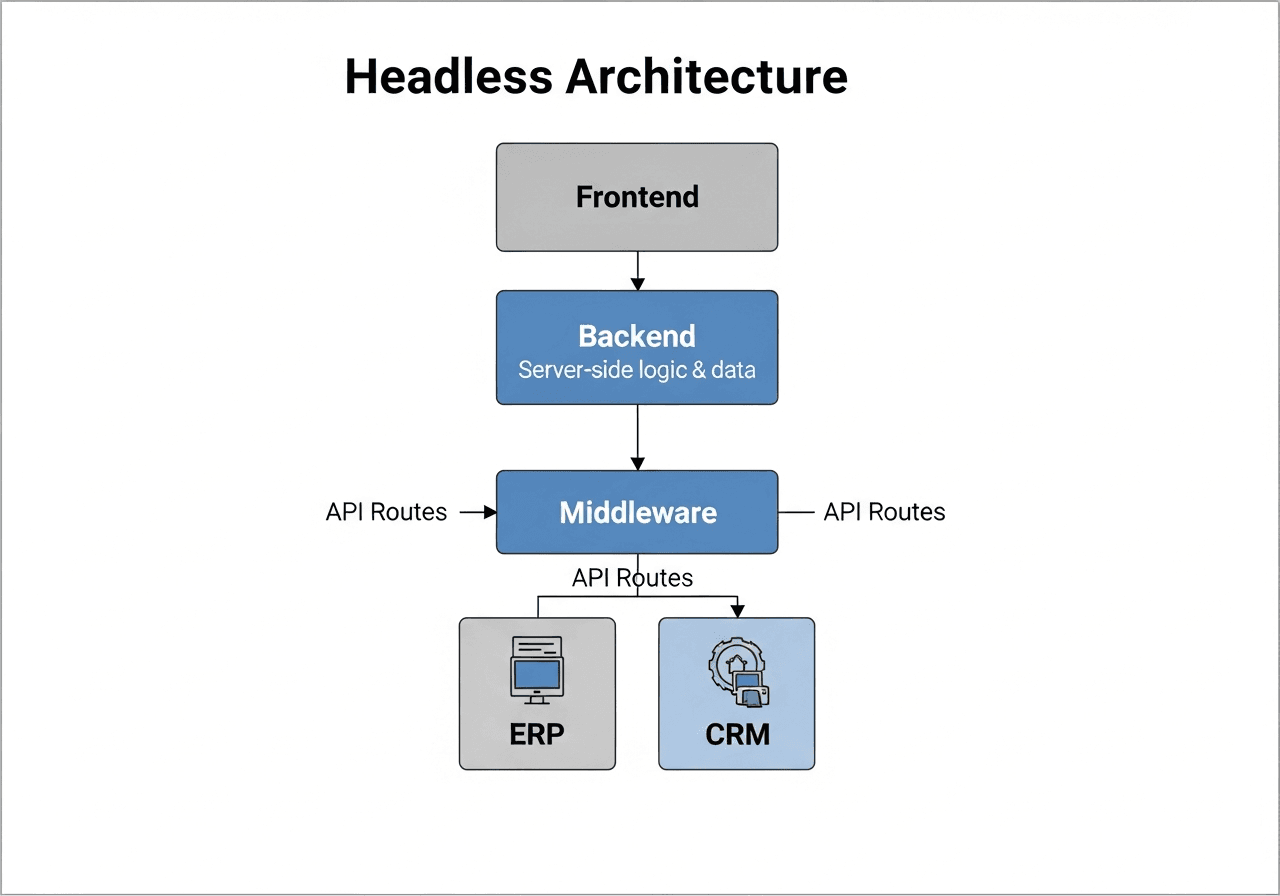
Shopify Headless uses a decoupled approach where:
- The backend runs on Shopify (Products, Orders, Checkout, Customers)
- The frontend is custom-built (Next.js, Hydrogen, React, Vue, Flutter, etc.)
- Integrations connect through APIs, middleware, or data hubs
There are three common integration architectures:
1. Direct API Integration
Systems communicate with Shopify through REST or GraphQL Admin APIs. Ideal for simpler setups or direct data sync requirements.
Pros
- Faster development
- Fewer moving parts
Cons
- Limited flexibility
- Complex to maintain at enterprise scale
2. Middleware or Integration Layer
A middleware layer such as:
- MuleSoft
- Zapier
- Make
- Workato
- Boomi
- Celigo
- Custom Node.js middleware
This acts as a translator between Shopify and other platforms.
Pros
- Centralized transformations
- Reduced risk of API conflicts
- Easier to scale integrations
Cons
- Additional cost
- More architectural complexity
3. Enterprise Integration with Data Hubs or CDPs
Large brands often rely on:
- Segment for data routing
- Snowflake for data warehousing
- ETL pipelines (Fivetran, StitchData)
This setup allows data to flow through multiple systems with governance and compliance controls.
IV. Step-by-Step Guide to Shopify Headless ERP Integration
1. Define Integration Requirements
Before building, clarify:
- What data should sync
- Sync frequency (real-time or scheduled)
- Direction of sync (one-way or bi-directional)
- Volume of orders and SKUs
- Warehouse and logistics workflows
- Accounting and tax requirements
2. Map Entities Between Shopify and the ERP
Typical mappings include:
- Products
- Variants
- Inventory levels
- Pricing
- Orders
- Refunds
- Customers
- Discounts and promotions
Clear mapping ensures consistent data throughout the system.
3. Choose the Integration Method
Options:
- Native ERP connectors
- Third-party integration apps
- Custom-built integration middleware
Enterprise businesses often prefer custom middleware for flexibility.
4. Build API Connections
This involves:
- API authentication
- Rate-limit handling
- Pagination
- Retry logic
- Error logging
- Data transformation rules
GraphQL Admin API is preferred for high-efficiency data fetching.
5. Test Across All Commerce Scenarios
Test cases include:
- Multi-warehouse routing
- Order cancellation
- Partial shipments
- Backorders
- Accounting reconciliation
- Multi-currency transactions
6. Deploy and Monitor
Implement:
- Real-time alerts
- Error-handling dashboards
- Performance monitoring
- Logs for API calls
Proper monitoring guarantees long-term stability.
V. Step-by-Step Guide to Headless CRM Integration
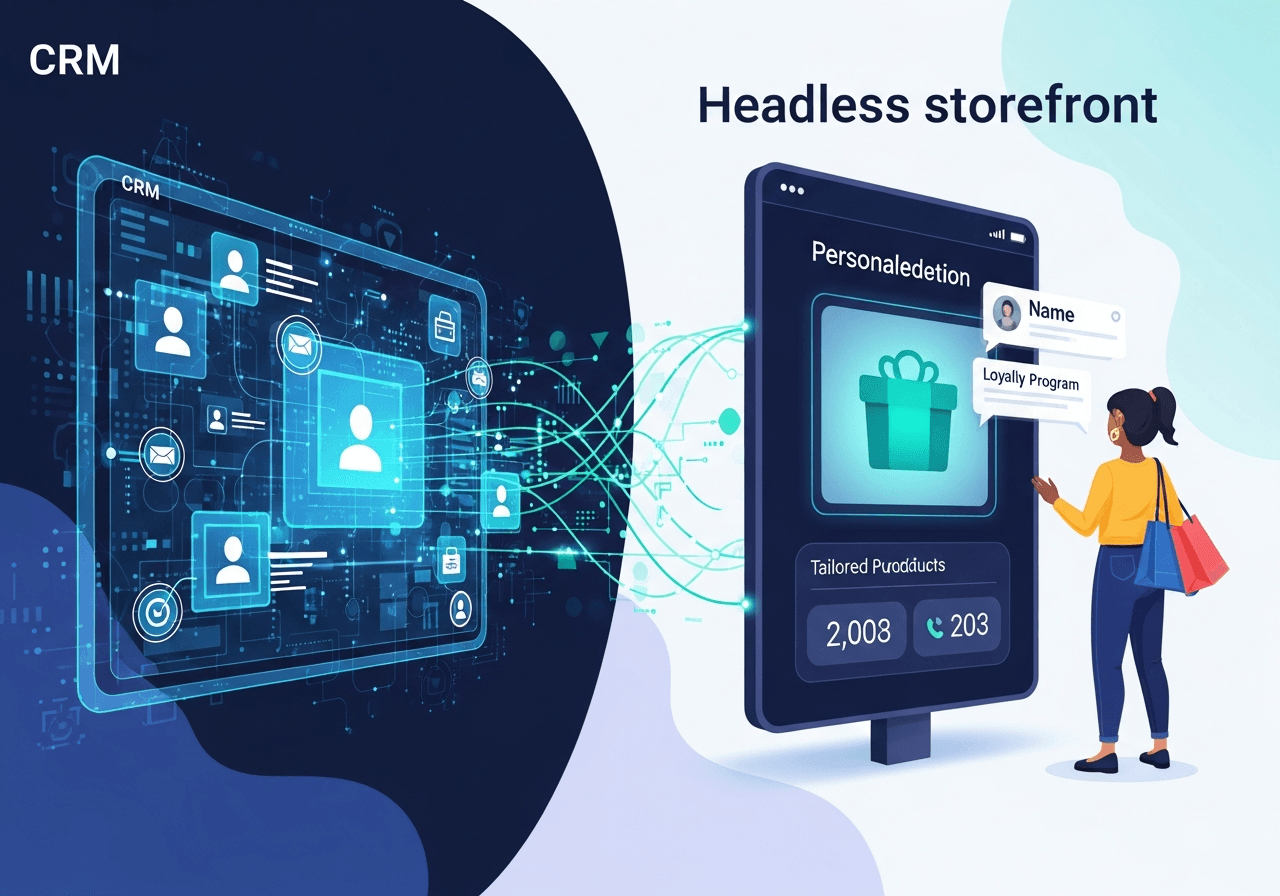
1. Identify Data Points for CRM Sync
Common data types:
- Customer profiles
- Order history
- Product interactions
- Cart behavior
- Marketing touchpoints
2. Set Up Real-Time Webhooks
Shopify webhooks send events to CRM systems for:
- Checkout started
- Order created
- Customer created
- Customer updated
- Cart updated
Real-time sync improves personalization accuracy.
3. Integrate Marketing Automation
CRM integration enables:
- Abandoned cart automation
- Post-purchase nurturing
- Loyalty workflows
- Up-sell and cross-sell campaigns
4. Activate Personalization on the Headless Frontend
CRM insights can power:
- Personalized product lists
- Dynamic pricing
- Custom landing pages
- AI-driven recommendations
5. Ensure Data Privacy Compliance
Follow:
- GDPR
- CCPA
- Local data security requirements
VI. Integrating Marketing Platforms with Shopify Headless
1. Connect Event Tracking
Ensure that your headless frontend sends data to:
- Facebook Pixel
- TikTok Pixel
- Google Analytics 4
- Server-side tracking
2. Sync Customer Segments with Marketing Tools
For platforms like Klaviyo or Omnisend:
- Sync customers
- Sync order history
- Push custom attributes from CRM
- Track product behavior
3. Automate Campaigns and Journeys
Examples:
- Welcome flows
- VIP segmentation
- Multi-step omnichannel sequences
- Predictive analytics campaigns
4. Build a CDP or Data Lake for Advanced Analytics
Brands scaling to an enterprise level benefit from:
- Centralized customer data
- Real-time personalization
- Multi-touch attribution
VII. Best Tools and Platforms for Headless Integrations
IX. Best Practices for Successful Shopify Headless ERP and CRM Integration
1. Implement Incremental Sync Instead of Full Sync
Full data synchronization is resource-intensive and unnecessary for daily operations. Using incremental sync ensures that only new or updated records are processed.
Why it matters
- Reduces API calls and prevents rate-limit issues
- Improves synchronization speed during peak traffic
- Minimizes risk of data duplication or overwriting
How to implement
- Use Shopify webhooks to trigger updates for orders, products, inventory, and customers
- Query ERP and CRM systems based on lastUpdated or modifiedAt fields
- Maintain a timestamp ledger or delta log in your middleware
- Use GraphQL filters (for example, sortKey UPDATED_AT) to fetch only changed items
2. Use Middleware Instead of Direct Connections for Complex Environments
Direct integrations (Shopify → ERP → CRM) create a rigid architecture that becomes difficult to scale. Middleware adds an abstraction layer that simplifies orchestration.
Benefits of middleware
- Centralized control for transformations and routing
- Reduced custom code in Shopify and ERP systems
- Easier debugging with unified logging
- Scalability when adding new sales channels or marketing tools
Ideal middleware functions
- Message queuing (Kafka, RabbitMQ, AWS SQS)
- Data transformation (mapping SKUs, inventory rules, customer segmentation)
- Retry logic and error handling
- API version management
Middleware becomes increasingly essential for enterprise setups with multiple warehouses, currencies, and regional workflows.
3. Validate Data Before Syncing
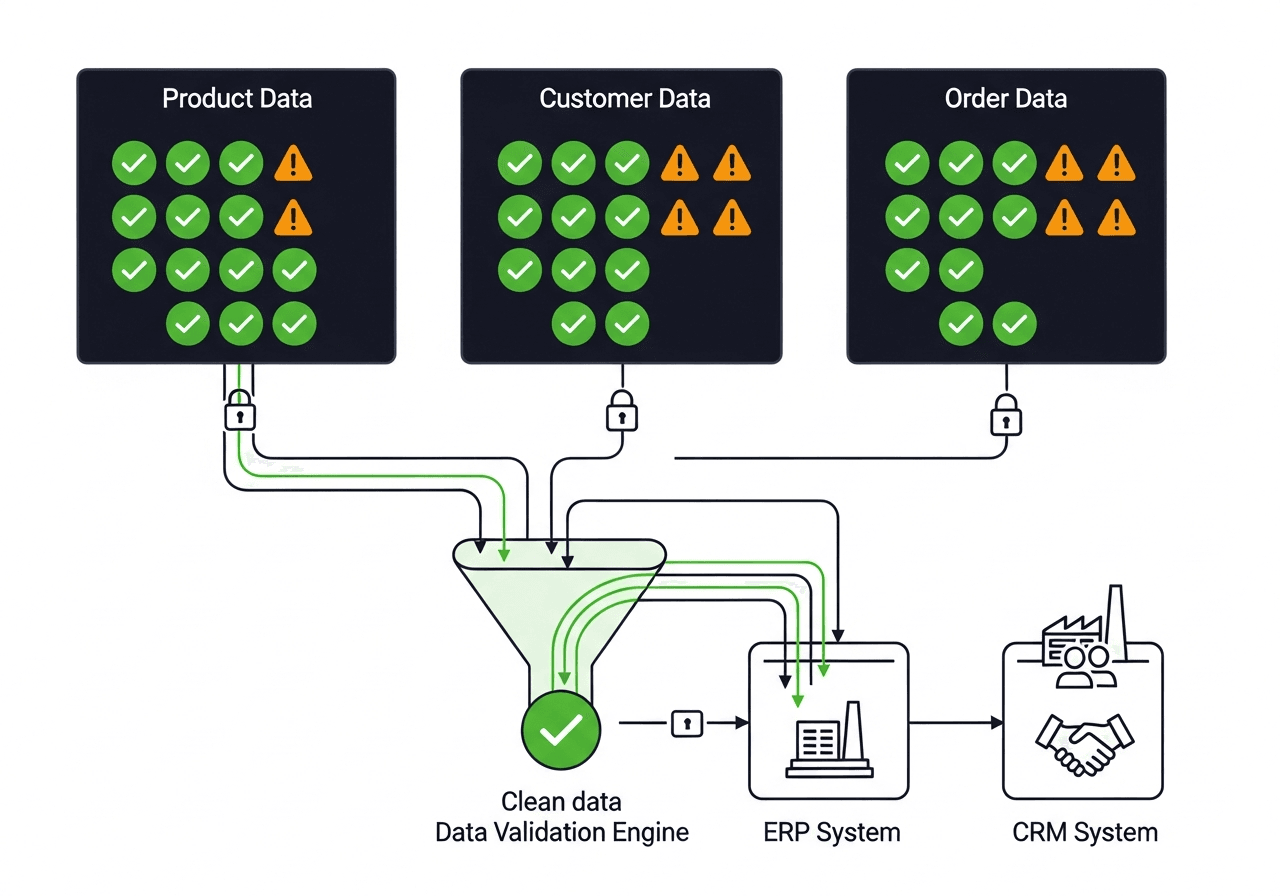
ERP and CRM systems often enforce strict data schema requirements. Invalid data sent into these systems causes sync failures and operational disruption.
Validation requirements
- Ensure product SKUs and variant IDs exist and match across systems
- Enforce correct data formats (email, phone, address fields)
- Confirm fulfillment status mapping aligns with ERP rules
- Validate inventory quantities and warehouse codes
Best validation practices
- Apply data validation rules at the middleware layer
- Use schema validation tools such as JSON Schema or custom validators
- Reject incomplete or conflicting payloads before syncing
- Log invalid records for review by the operations team
This prevents data corruption and keeps ERP and CRM databases clean and consistent.
4. Prioritize Error Logging and Alerting
Reliable integrations require visibility. Without proper monitoring, issues such as missing orders or incorrect inventory levels may go unnoticed until they affect customers.
Key monitoring components
- Track API request failures, timeouts, and rate-limit throttling
- Log webhook delivery errors and retry attempts
- Create dashboards for sync success rates, latency, and queue backlog
Alerting recommendations
-
Configure Slack, email, or PagerDuty alerts for critical failures
-
Set thresholds for acceptable error rates
-
Notify teams when:
- Orders fail to sync
- Inventory mismatches occur
- CRM automation fails due to missing fields
Technical guidance
- Implement retry logic with exponential backoff
- Use dead-letter queues to isolate repeated failures
- Archive logs for long-term diagnostics
This ensures rapid troubleshooting and minimizes operational downtime.
5. Maintain API Versioning
Shopify releases new API versions quarterly, and ERP/CRM systems follow regular updates as well. Without proper version control, your integrations risk breaking unexpectedly.
Why versioning is important
- Prevents disruptions caused by deprecated endpoints
- Ensures long-term compatibility with evolving systems
- Allows safe testing during migrations
Recommended practices
- Monitor Shopify API release notes and deprecation schedules
- Pin integrations to specific API versions in your middleware
- Maintain staging and sandbox environments for upgrade testing
- Document changes for cross-team alignment
- Schedule planned maintenance windows for version upgrades
Strong versioning discipline prevents unexpected integration failures during peak sales seasons.
X. Conclusion
Integrating Shopify Headless with ERP CRM and marketing platforms is essential for building a scalable, automated, and future-ready commerce ecosystem. By connecting these systems, businesses gain unified data, improved operational efficiency, and the ability to deliver highly personalized omnichannel experiences.
Whether the goal is to automate fulfillment, activate data-driven marketing, or centralize customer and financial information, a well-designed integration strategy ensures long-term success. As headless commerce continues to evolve, ERP and CRM integration will remain foundational components for any enterprise seeking to compete in a data-driven market.
Read more: