
Selling through both Shopify and Flipkart can help merchants reach customers through two very different ecommerce channels. Shopify gives businesses control over their own online store, while Flipkart provides access to one of India's major online marketplaces..
The challenge begins when the same products are available on both platforms.
Without proper Shopify Flipkart integration, sellers may need to update stock, prices, products, and orders separately. As the number of SKUs and daily orders increases, manual management can quickly become difficult.
This guide explains how Shopify and Flipkart can work together, what can be synchronized, and the different ways merchants can build a reliable multichannel ecommerce workflow.
Can You Connect Shopify to Flipkart?
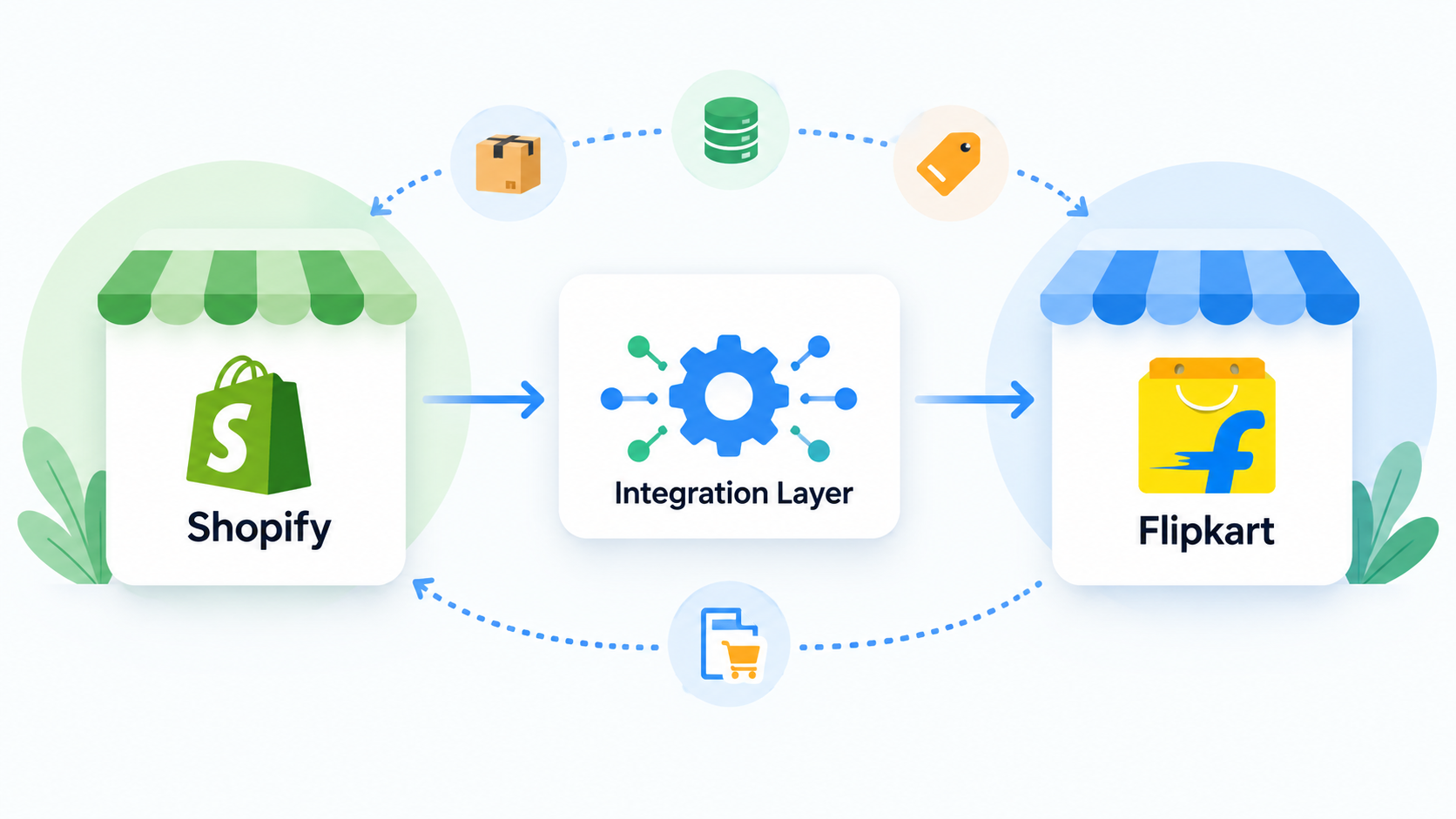
Yes. Shopify and Flipkart can be connected, although sellers generally need a third-party integration platform or a custom API integration rather than relying on a simple built-in Shopify-to-Flipkart connection.
Flipkart provides Marketplace Seller APIs that allow approved sellers and partners to programmatically work with listings and orders. Its API capabilities include retrieving listings, updating inventory and prices, creating or updating listings, retrieving orders, processing shipments, and managing returns.
This makes it possible for an integration layer to exchange information between a Shopify store and a Flipkart seller account.
How Shopify Flipkart Integration Works
A typical setup places an integration platform between Shopify and Flipkart.
Imagine a merchant has 20 units of one product.
The Shopify store might show:
Available stock: 20
The same SKU is also listed on Flipkart:
Available stock: 20
If a customer purchases three units through Flipkart, the integration should detect that transaction and update the central inventory quantity. Shopify can then be updated automatically to show 17 units.
The same process works in the opposite direction when an order originates from Shopify.
This shared inventory model helps prevent situations where both channels continue selling products that are no longer available.
What Can Be Synced Between Shopify and Flipkart
A flipkart shopify integration can connect several parts of the ecommerce workflow, from product listings and stock levels to orders, fulfillment, and returns.
Depending on the connector or custom integration being used, merchants can typically automate several ecommerce operations:
Inventory: Update stock when products are sold or adjusted.
Product listings: Map Shopify products and variants to corresponding Flipkart listings.
Prices: Push price updates between the central system and marketplace listings.
Orders: Import orders into a centralized order-management workflow.
Fulfillment: Exchange shipment and fulfillment information.
Returns: Retrieve and process marketplace return information where supported.
Flipkart's Seller API specifically exposes functionality for listings, inventory updates, price updates, orders, shipments, invoices, labels, and returns.
Three Ways to Integrate Shopify With Flipkart
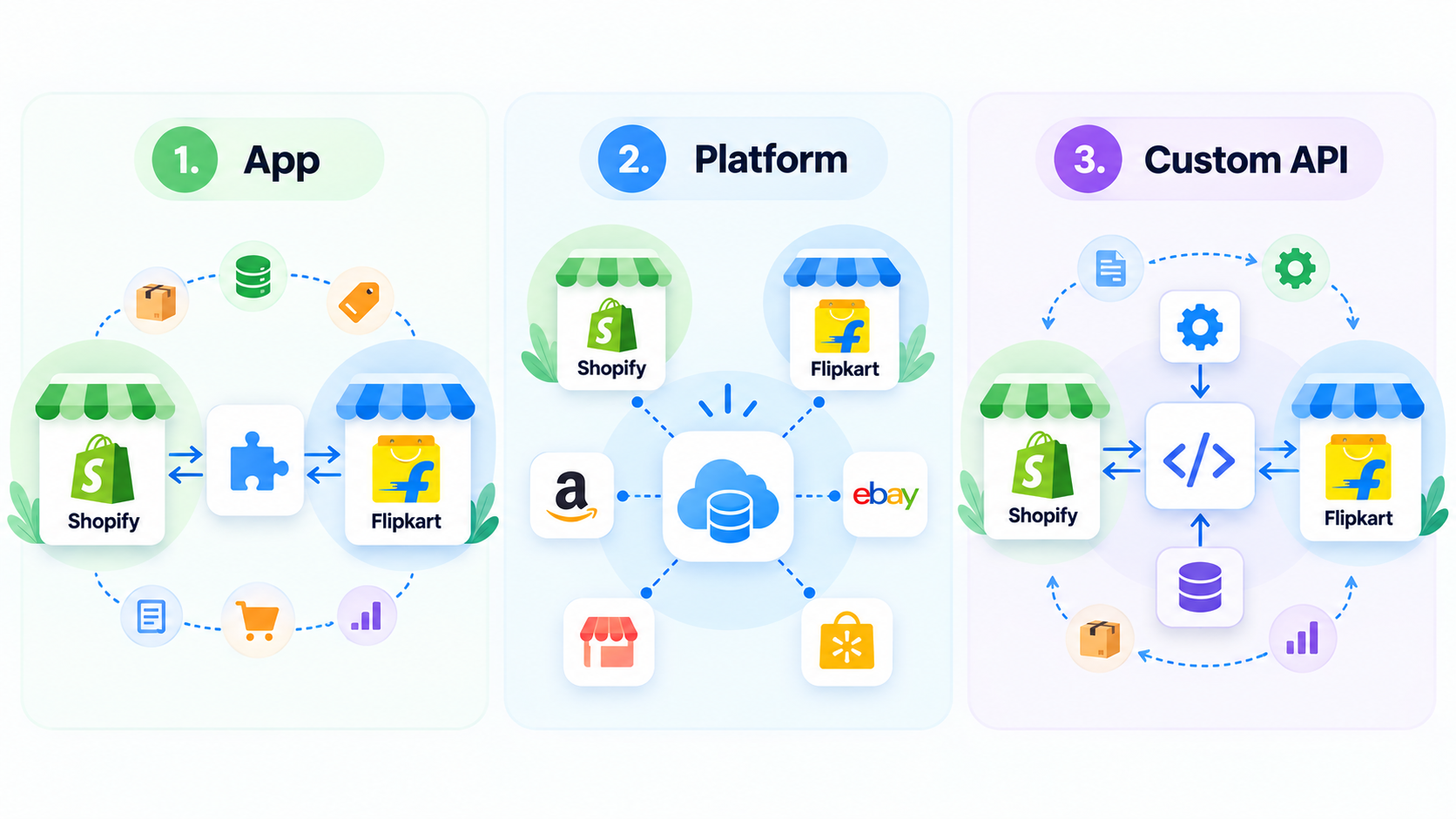
1. Use a Shopify Integration App
For smaller stores, the simplest option may be an application that supports multiple sales channels.
For example, Synkron currently lists Shopify, Flipkart, Amazon, eBay, Walmart, and other channels among its supported inventory-sync integrations in the Shopify App Store. Its functionality focuses primarily on synchronizing inventory between SKUs and stores.
An app-based setup can be useful when inventory synchronization is the primary requirement and the merchant wants to avoid developing custom infrastructure.
2. Use a Multichannel Commerce Platform
Growing sellers may prefer a centralized multichannel platform.
Instead of treating Shopify and Flipkart as separate systems, the merchant maintains one central catalog and inventory source. The integration platform then sends updates to each connected channel and collects orders from them.
Some third-party commerce platforms specifically advertise Shopify and Flipkart connectivity for inventory and order management.
This approach becomes increasingly useful when a seller also operates on marketplaces such as Amazon, Meesho, eBay, or other ecommerce channels.
3. Build a Custom Shopify Flipkart Integration
Businesses with more complex requirements can build their own integration.
Flipkart provides Seller APIs for sellers and approved third-party partners. Registered Flipkart sellers can create API access from their Seller Dashboard, while partners managing integrations for other sellers use Flipkart's third-party authorization flow.
A custom integration might follow a workflow such as:
Shopify → Integration Service → Flipkart API
and
Flipkart → Integration Service → Shopify
The integration service handles SKU mapping, inventory calculations, API authentication, order processing, error handling, and synchronization rules.
Custom development provides significantly more flexibility but also requires ongoing maintenance.
Why Inventory Sync Is Important
Inventory is usually the most critical component of a Shopify Flipkart integration.
Consider a product with only one unit remaining.
A customer purchases it through Shopify.
If Flipkart still displays one unit because the systems are not synchronized, another customer could place an order for stock that no longer exists.
This creates an overselling problem.
With inventory synchronization, the Shopify order reduces the available stock and the integration sends the updated quantity to Flipkart.
For businesses processing many orders across multiple marketplaces, automating this process reduces the amount of manual inventory reconciliation required.
SKU Mapping Should Come First
Before activating synchronization, merchants should make sure product identifiers are consistent.
For example:
Shopify SKU: SHOE-BLK-42
Flipkart SKU: SHOE-BLK-42
Using consistent SKU structures makes it easier for an integration platform to determine which product represents the same inventory across both systems.
If SKUs are different, a mapping layer should explicitly connect them before automated inventory updates are enabled.
Incorrect SKU mapping can cause inventory updates to affect the wrong product.
Shopify as the Central Catalog
One common architecture is to use Shopify as the primary product catalog.
In this setup, merchants manage important product information in Shopify and allow an integration layer to distribute relevant information to Flipkart.
The workflow becomes:
Shopify product catalog → Integration layer → Flipkart listings
Orders then travel in the opposite direction:
Flipkart order → Integration layer → Order management or Shopify workflow
This model can simplify product management because teams do not need to maintain identical product information manually in multiple dashboards.
However, businesses should still account for channel-specific fields and requirements because marketplace listing structures may differ from Shopify's product model.
Shopify Flipkart Integration Checklist
Before going live, verify product SKUs and variants, decide which system owns the master inventory quantity, map Shopify products to Flipkart listings, test stock updates in both directions, test order imports, test cancellations and returns, monitor failed API requests, and define how the system should recover when synchronization fails.
Running these tests with a small number of products before enabling the full catalog can help identify mapping and workflow problems early.
Should You Use an App, Platform, or Custom API?
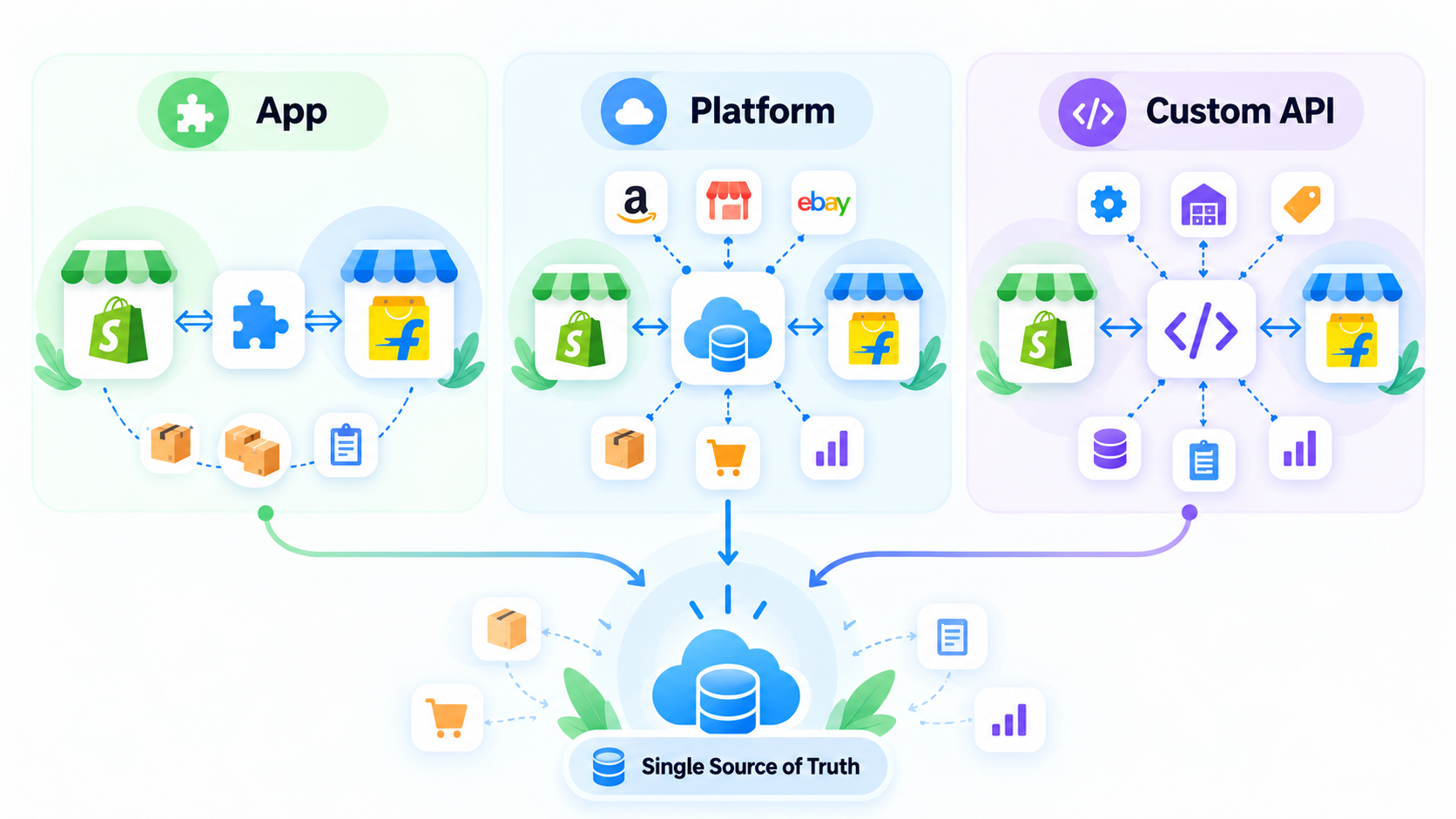
The right approach depends primarily on operational complexity.
A merchant with a relatively small catalog may only need an inventory synchronization application.
A growing multichannel seller may benefit from an ecommerce operations platform that centralizes orders, inventory, and multiple marketplaces.
Larger businesses with custom ERP, warehouse, fulfillment, or pricing requirements may prefer a dedicated API integration.
The important principle is not simply connecting Shopify to Flipkart. The goal is to establish a single reliable source of truth for products, inventory, and orders.
Final Thoughts
Running Shopify and Flipkart independently may be manageable when a business has only a few products and orders. As sales volume increases, however, maintaining two separate inventories and order workflows becomes increasingly difficult.
A properly designed Shopify Flipkart integration can automate inventory updates, consolidate orders, simplify product management, and reduce repetitive marketplace administration.
Sellers can implement this through a Shopify integration app, a multichannel commerce platform, or a custom solution built on Flipkart's Seller APIs.
Whichever approach you choose, start with consistent SKUs, clearly define the source of truth for inventory, and thoroughly test synchronization before scaling the integration across your entire catalog.
Frequently Asked Questions
Does Shopify integrate directly with Flipkart?
Merchants can connect the platforms through third-party integration tools or custom development using marketplace APIs. The exact capabilities depend on the connector selected.
Can Shopify inventory be synced with Flipkart?
Yes. Inventory-sync applications and multichannel commerce platforms can be used to maintain stock quantities between Shopify and Flipkart. Some Shopify App Store applications explicitly list Flipkart as a supported channel.
Does Flipkart provide an API for sellers?
Yes. Flipkart provides Marketplace Seller APIs that support operations including listings, inventory, pricing, orders, shipments, and returns.
Can Flipkart orders be managed automatically?
Yes. Flipkart's Seller APIs expose order and shipment operations that can be incorporated into automated or third-party order-management workflows.
What is the best way to manage Shopify and Flipkart inventory?
For most multichannel setups, the safest architecture is to maintain a clearly defined master inventory source and synchronize stock changes to every connected sales channel. The specific software should be selected based on catalog size, order volume, fulfillment requirements, and the number of marketplaces being managed.
Test 2026