
You spent months on a new product. The photos look great, and the launch date is circled on your calendar. Then a shopper lands on the page, sees "Sold out," and leaves for good. That quiet exit hurts, because you never learn who it was or how to reach them again.
Many visitors are not ready to buy the first time they see your product. Baymard Institute found that 42% of US online shoppers abandoned a cart because they were just browsing. Those browsers can become your launch-day buyers if you keep them close. A Shopify coming soon app gives them a countdown, a signup form, and a launch alert.
Below are five Shopify coming soon apps, each matched to one launch problem. Pick the problem that sounds most like your store right now. Then use the comparison tables to check features and pricing before you install.
Key Takeaways
Most launch losses happen before launch, when interested visitors leave with no way to return.
A countdown timer gives shoppers a clear date to plan around.
A waitlist turns browsers into launch-day buyers you can email directly.
Match the app to one problem: waitlists, timed opening, audience growth, checkout timing, or pre-orders.
Start your coming soon page 10 to 14 days before a product drop.
Test mobile, checkout, and inventory settings the day before launch.
Set launch times in the US time zones your customers use.
Launch Workflow Comparison: Where Each App Fits
This table maps each app to the stage of your launch it supports. It pulls details from each App Store listing that rarely appear side by side.
Coming Soon Products, PreOrder by SetuBridge | Coming Soon Page Pro by Kalaa Code Studio | G: Coming Soon Page+Pre Launch by GoodApps | UR:Coming Soon|Countdown Timer by UnReact Inc. | PreCom ‑ coming soon preorders by Gravity Software | |
Merchant problem solved | Visitors leave with no way to return | Store must open at an exact time | Pre-launch page needs an audience | Orders arrive before release time | Demand arrives before stock |
Launch stage | Pre-launch to launch day | Store launch, VIP access, maintenance | New store pre-launch | Timed drops and limited sales | Pre-launch, pre-order, restock |
Where shoppers see it | Product and collection pages | Full storefront or chosen products | Branded pages, pop-ups, badges | Product pages, cart, checkout | Product and collection pages |
What happens on launch day | Auto-release plus email and push alerts | Coming soon page turns off on schedule | Countdown reaches your launch date | Purchases open when the window starts | Product becomes available on its set date |
Signup or sales tool | Notify Me waitlist | Email signup form | Email forms and pop-ups | Sales window validation | Pre-order button |
Languages | English | English | English, Spanish, Portuguese | 20 languages | English |
On the App Store since | April 2026 | January 2026 | December 2024 | December 2023 | July 2017 |
Developer based in | Ahmedabad, India | Surat, India | Lviv, Ukraine | Fukuoka, Japan | Konstantynów Łódzki, Poland |
The 5 Best Shopify Coming Soon Apps, Matched to Merchant Problems
1. Coming Soon Products, PreOrder
Coming Soon Products, PreOrder by SetuBridge turns an unreleased product page into a waitlist. Shoppers see a coming soon badge, a product countdown timer, and a Notify Me form. Each signup is a person who raised their hand before launch. That list becomes your first wave of buyers when the product goes live.
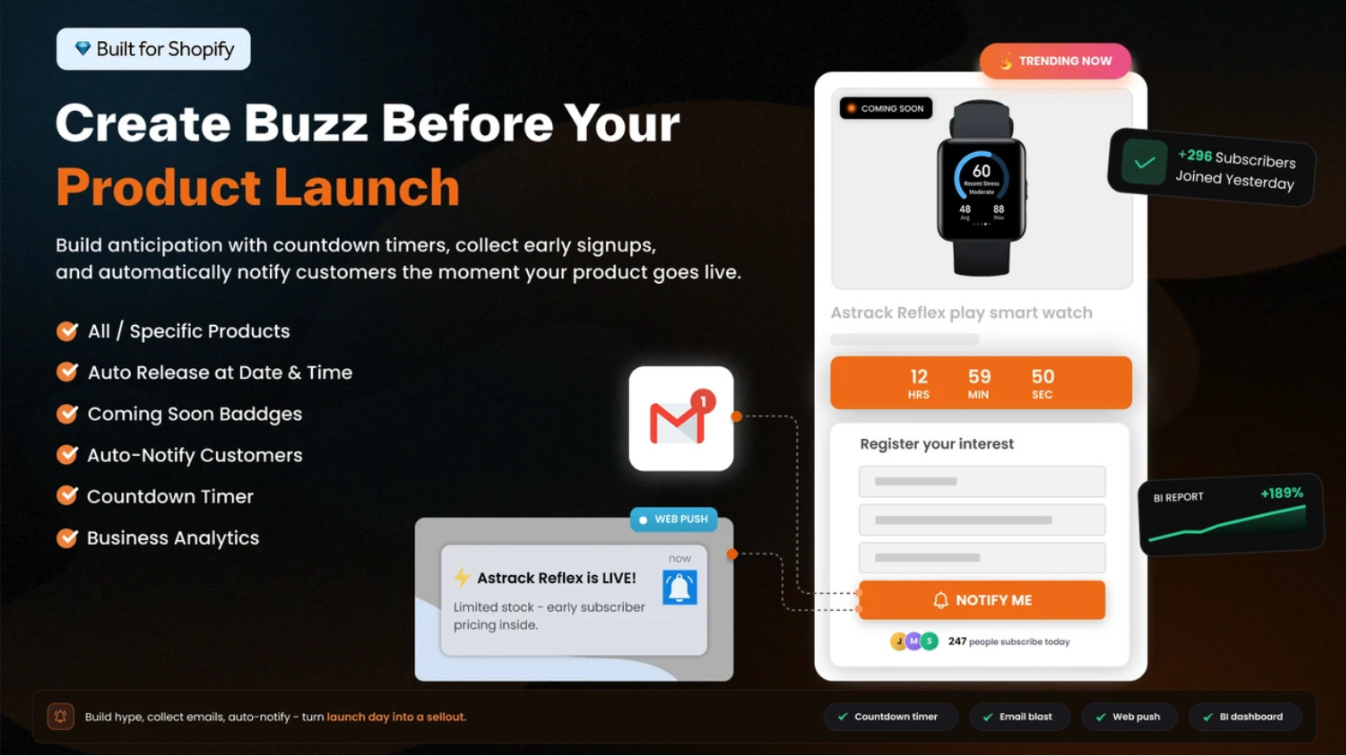
On launch day, the app sends automatic email and web push alerts to everyone on the waitlist. You can schedule the release ahead of time, so the product unlocks without manual work. Signups sync with Klaviyo, Omnisend, Brevo, and Mailchimp, so your existing email flows stay in one place. You can also hide the price and Add to Cart button until the release.
Key features:
Coming soon badges and labels on product and collection pages
Product countdown timer templates
Notify Me form builder with bot protection for signups
Scheduled product releases with auto-release notifications
Business analytics dashboard and product variant support
Pricing: Free plan for up to 3 products. Basic is $4.99/month, Growth is $9.99/month, and Premium is $19.99/month. Yearly billing saves 17%.
Workflow tip: Add the Notify Me form 10 to 14 days before launch. Then share the product link in every social post. Each click becomes a possible subscriber instead of a lost visit.
2. Coming Soon Page Pro
Coming Soon Page Pro by Kalaa Code Studio shows a coming soon page on your store or chosen products. You set a launch date, and a live countdown timer shows shoppers exactly when to return. Visitors can join your email list while they wait. The page goes away on schedule, so launches do not depend on you being online.

One US merchant shared a helpful use case in an App Store review. They gave VIP customers early shopping access, then needed the store open to everyone afterward. With a password-protected page and a launch date, that switch can run on schedule. The app works through an app proxy, so you do not need to edit theme files.
Key features:
Store-wide or product-specific coming soon pages
Live countdown timer tied to your launch date
Optional storefront password protection
Email signups synced with Klaviyo, Mailchimp, Omnisend, and Brevo
Mobile-friendly page templates
Pricing: Free for development stores. The Pro plan is $0.99/month. The Advanced plan is $0.99/month or $9.99/year.
Workflow tip: Run VIP early access with the password, and share it only with your email list. Loyal buyers feel like insiders, and they often spread the word for you.
3. G: Coming Soon Page+Pre Launch
G: Coming Soon Page+Pre Launch by GoodApps is a page builder for branded pre-launch pages. You start with pre-made templates and adjust the design to match your store's style. Countdown timers, email capture forms, and pop-ups help turn visitors into subscribers. You can publish a page in minutes without writing code.
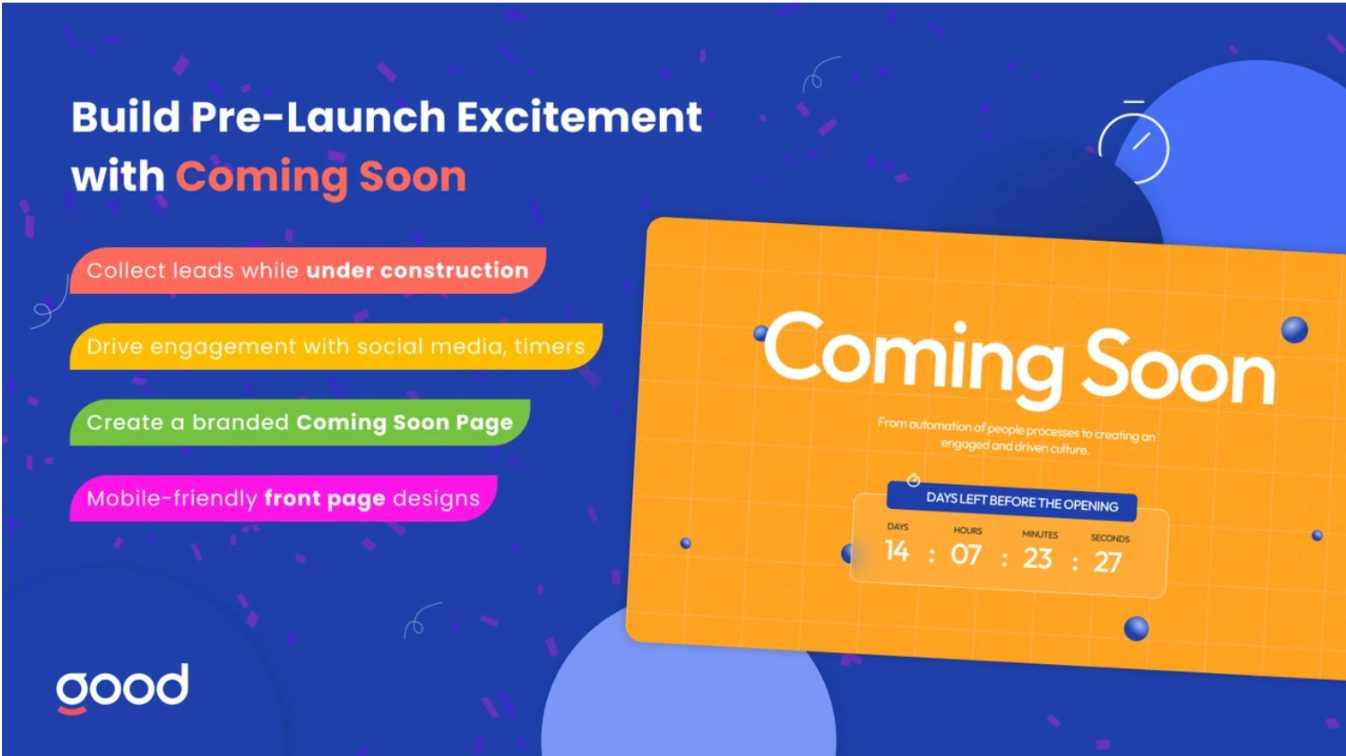
The page also includes social media icons, so visitors can follow your brand before launch. This matters for new brands that need followers, not just an email list. Page analytics show how many people see the page and take action. Triggers and rules control when a page or pop-up appears to shoppers.
Key features:
Pre-made templates with a no-code design editor
Countdown timer templates
Email pop-ups and custom pop-ups
Coming soon and opening badges
Available in English, Spanish, and Portuguese
Pricing: Free for development stores. Premium starts at $1/month based on usage, up to $12/month. It includes a 7-day free trial.
Workflow tip: Place your Instagram and TikTok icons right below the countdown. Post one behind-the-scenes clip each week, so new followers have a reason to stay.
4. UR:Coming Soon|Countdown Timer
UR:Coming Soon|Countdown Timer by UnReact Inc. sets a coming soon status and countdown for each product. It uses cart and checkout validation to block purchases outside your sales window. That keeps early orders from slipping through before the official release. It also helps you close orders after a limited-time sale ends.
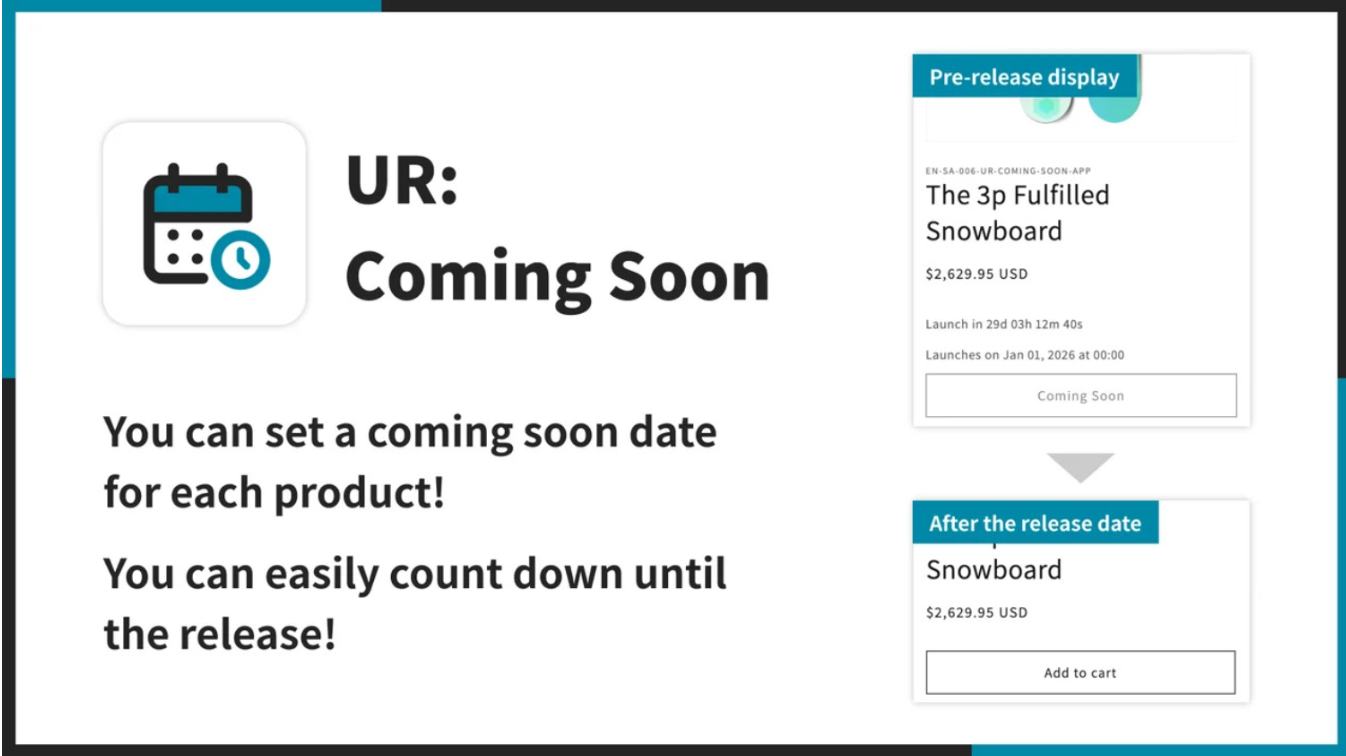
Large catalogs benefit from bulk scheduling across many products or whole collections at once. You can customize the Add to Cart button label and how it displays during the countdown. Setup takes two steps, and the app adds to your theme with one click. It supports 20 languages, which helps stores that sell to shoppers in many regions.
Key features:
Product-level coming soon status and countdown timers
Bulk launch schedules for products and collections
Cart and checkout validation for your sales window
Custom Add to Cart label and display
Support for 20 languages
Pricing: $14.99/month or $149.99/year, with a 7-day free trial. Free forever on development stores.
Workflow tip: Before a timed drop, set the schedule for the whole collection in one pass. Then run a test checkout a few minutes before launch to confirm the window works.
5. PreCom ‑ coming soon preorders
PreCom ‑ coming soon preorders by Gravity Software lets you mark products as "coming soon" or "pre-order." Coming soon shows upcoming products, so shoppers know what to expect. Pre-order lets customers buy now while you ship later. You decide when each product becomes available by setting an availability date. This helps you capture sales that would otherwise wait for a restock.
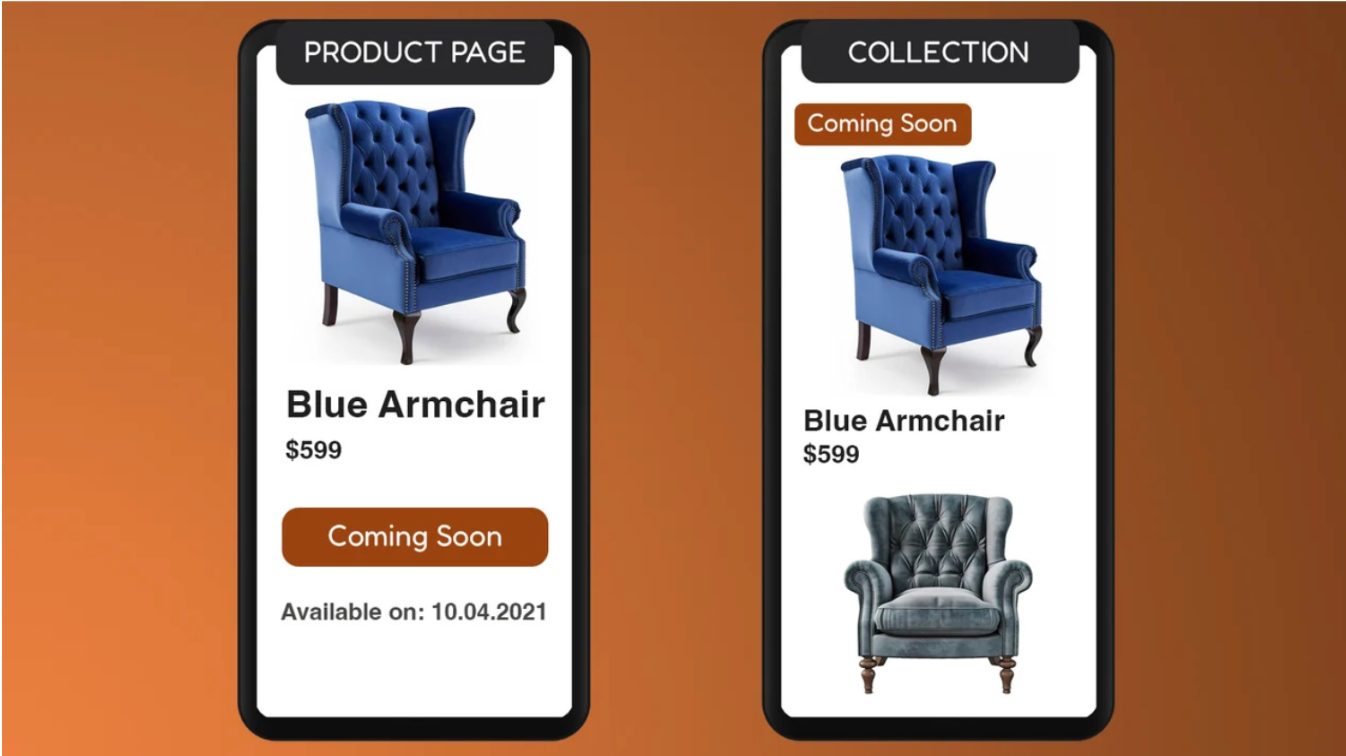
The app replaces the Add to Cart button with "Pre-order Now" or "Coming Soon" buttons. A customizable date label tells shoppers when to expect the product. Badges on collection pages highlight upcoming items while customers browse. It also handles backorders, so you can keep selling when an item is out of stock for a short time.
Key features:
Coming soon and pre-order product statuses
"Pre-order Now" and "Coming Soon" button text
Custom "Available from" date label
Collection page badges
Backorder support
Pricing: Full Access plan at $9.99/month with all features included and a 7-day free trial.
Workflow tip: Use pre-order during restock gaps, and switch back to coming soon between batches. Add the expected ship date to the product description, so buyers know the timeline.
Pricing Comparison: Shopify Coming Soon Apps in 2026
All prices are in USD and billed every 30 days through Shopify. Prices were checked on October 22, 2026.
Coming Soon Products, PreOrder by SetuBridge | Coming Soon Page Pro by Kalaa Code Studio | G: Coming Soon Page+Pre Launch by GoodApps | UR:Coming Soon|Countdown Timer by UnReact Inc. | PreCom ‑ coming soon preorders by Gravity Software | |
Free option | Free plan, up to 3 products | Free for development stores | Free for development stores | Free for development stores | 7-day free trial |
Paid plans | $4.99, $9.99, $19.99/month | Pro $0.99/month; Advanced $0.99/month | $1/month, usage-based up to $12/month | $14.99/month | $9.99/month |
Yearly billing | $49.99, $99.99, $199.99/year | $9.99/year | Monthly | $149.99/year | Monthly |
Free trial | Free plan | Free plan | 7 days | 7 days | 7 days |
Plan scales by | Products and monthly alerts | Plan features | Usage | Single plan | Single plan |
What Is a Shopify Coming Soon App?
A Shopify coming soon app shows shoppers that a product or store is launching soon. It usually adds a badge, a countdown timer, and a way to sign up for updates. Some apps work on single products, while others cover your full storefront. A few also let shoppers pre-order, so you collect revenue before stock arrives.
Why Building Hype Before Launch Matters
A launch without hype puts all the pressure on one day. If people do not know the date, they cannot plan to show up. Shopify reported that merchants made a record $14.6 billion over Black Friday-Cyber Monday 2025. Shoppers arrive ready to spend during big moments, but only if they already know your product exists.
Email is where pre-launch interest turns into revenue. Litmus reports that 35% of companies earn $10 to $36 for every $1 spent on email. A waitlist from your coming soon page is an audience you own. You do not need to pay for ads to reach it on launch day.
Where to Use Coming Soon Features on Your Shopify Store
Product pages: for single product drops and restocks
Collection pages: badges help browsing shoppers spot upcoming items
Full storefront: for new store launches, rebrands, or maintenance
Pop-ups: capture emails from visitors on any page
Cart and checkout: keep orders inside your planned sales window
How to Choose the Right Shopify Coming Soon App
Start with the problem that costs you the most sales today. One clear problem leads to one clear tool. Use this checklist to match your situation:
Shoppers leave upcoming product pages: you need a waitlist with launch alerts.
Launch timing depends on you being online: you need a scheduled coming soon page.
Your brand is new: you need a page that grows followers and emails.
Early orders cause problems: you need checkout validation.
Demand arrives before stock: you need pre-orders.
Your budget is tight: start with a free plan or test on a development store.
Conclusion
A product launch is won or lost in the days before it goes live. Shoppers who find your product early need a date, a reason to sign up, and a reminder. A coming soon app on your Shopify store handles all three while you focus on the product. Start with the launch problem that costs you the most sales today.
Set up your page 10 to 14 days ahead, and grow your waitlist with every post. Test checkout and timing the day before launch. When the countdown ends, your waitlist is ready to buy. That is how quiet launches turn into sold-out ones.
Frequently Asked Questions
What is the best Shopify coming soon app in 2026?
The right app depends on your launch problem. Waitlists, timed store opening, and pre-orders each need different tools. Use the quick list at the top to match your problem to an app.
Can I add a coming soon page to Shopify for free?
Yes. Coming Soon Products, PreOrder has a free plan for up to 3 products. Coming Soon Page Pro and G: Coming Soon Page+Pre Launch are free on development stores.
What is the difference between coming soon and pre-order?
Coming soon means shoppers can see the product but cannot buy it yet. Pre-order means they pay now, and you ship once stock arrives.
How do I stop customers from buying before launch day?
Hide the Add to Cart button, or replace it with a coming soon button. For stricter timing, use cart and checkout validation to block orders outside your sales window.
How early should I set up a coming soon page?
Set it up 10 to 14 days before a product drop. For a brand-new store, start two to four weeks ahead.
Can a coming soon app send launch emails automatically?
Yes. Coming Soon Products, PreOrder send automatic emails and web push alerts at launch. Other apps sync signups with tools like Klaviyo or Mailchimp, where you send the launch email.