
A Shopify store can look healthy right up until someone actually tries to buy something.
The product page loads. The cart works. Traffic is coming in. Then a discount code calculates incorrectly, a payment option disappears on mobile, shipping fails for one postal code, or the customer gets charged but never sees an order confirmation.
Those are the kinds of issues Shopify checkout testing is meant to catch. The goal is not to place one successful test order and call the checkout ready. A proper test should cover pricing, shipping, payment, failure handling, confirmation, and order creation as one connected flow.
Start With the Whole Checkout Journey
Checkout problems do not always begin on the checkout page.
A quantity change may not update inventory correctly. A discount may affect the wrong item. A shipping rule may be based on a cart value that was calculated incorrectly several steps earlier.
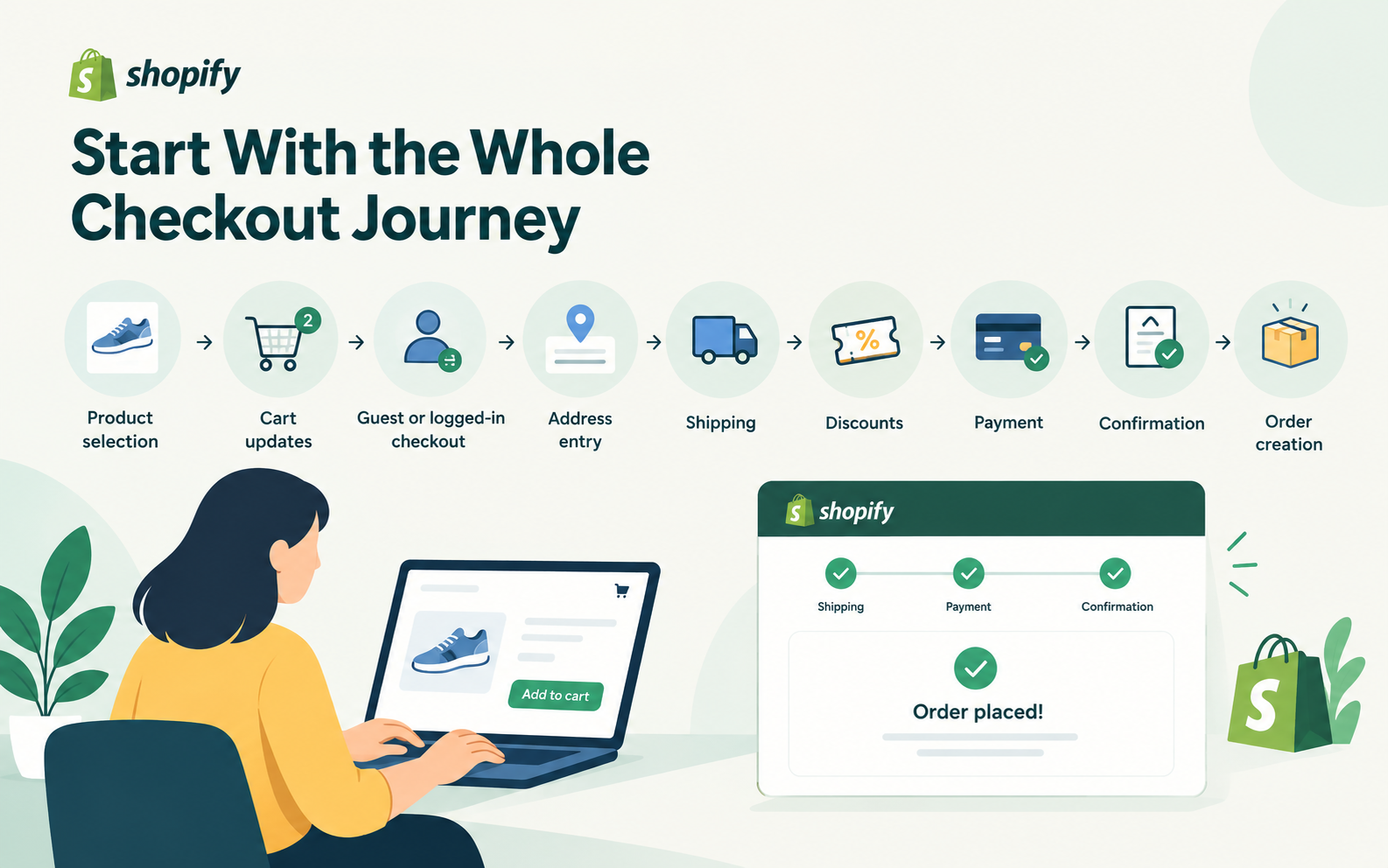
Testing should therefore follow the full customer journey: product selection, cart updates, guest or logged-in checkout, address entry, shipping, discounts, payment, confirmation, and order creation.
One of the easiest ways to miss Shopify checkout errors is to test screens in isolation. Customers move through a journey, so the test process should too.
Payment Testing Should Include Failure
A lot of teams perform Shopify payment testing by completing one card transaction and checking whether the confirmation page appears.
That only covers the easiest case.
Payment testing should also include declined cards, invalid details, authentication failures, interrupted connections, retries, and alternative payment methods.
One scenario deserves particular attention: the gateway approves the transaction, but the customer's connection drops before Shopify shows confirmation.
If the shopper tries again, can the store prevent a duplicate charge or duplicate order?
These failure states are often more useful to test than another successful payment.
Test Each Payment Gateway Separately
Stores serving several markets may use multiple payment options, and those gateways do not always behave the same way.
Shopify payment gateway testing should verify authorization, decline handling, redirects, authentication, currency support, order creation, and refunds for every active provider.
A checkout that works through one gateway may still fail through another because of regional settings, authentication requirements, or configuration differences.
Those problems can remain hidden when internal teams repeatedly use the same payment method during testing.
Discounts, Shipping, and Location Need Edge Cases
Promotions create more checkout combinations than they first appear to.
If free shipping starts at $100, test $99.99, $100, and $100.01. If certain products are excluded from a discount, create a mixed cart. Also check what happens when the shopper changes the cart after applying a promotion.
Location adds another layer. Shipping options, taxes, payment methods, address formats, and delivery restrictions may vary by region.
Testing representative addresses from the markets the store actually serves can uncover issues that an internal team may never see from its own location.
A missing shipping rate or rejected postal code can make an otherwise healthy checkout unusable.
Mobile Checkout Needs a Real Test Pass
Mobile checkout should not be treated as a scaled-down desktop version.
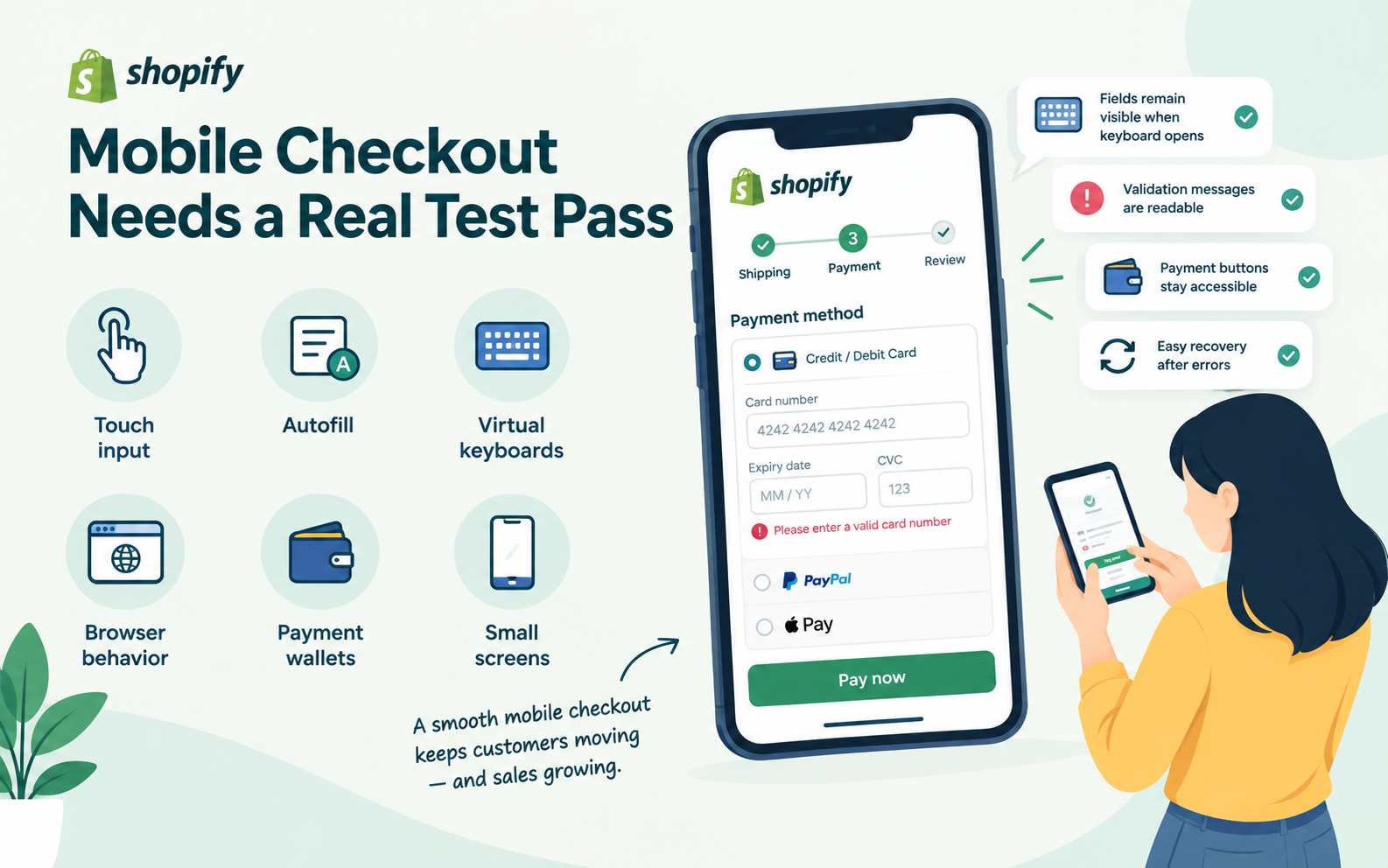
Touch input, autofill, virtual keyboards, browser behavior, payment wallets, and small screens all introduce different failure points.
Check whether fields remain visible when the keyboard opens, validation messages can be read, payment buttons remain accessible, and the user can recover easily after entering invalid information.
A checkout can be technically functional while still creating enough friction to lose the purchase.
Test Recovery, Not Just Errors
One useful question in e-commerce checkout testing is: what happens after something goes wrong?
If payment fails, is the cart preserved? If stock disappears during checkout, is the customer told what happened? If a request times out, can it be retried safely?
Look at the backend state as well as the customer-facing message.
An error saying “Please try again” is not useful if the first attempt already created an order or captured payment.
Recovery behavior is part of checkout quality.
Keep Regression Testing Around the Revenue-Critical Paths
Shopify stores change constantly. Themes are updated, apps are installed, promotions change, and new payment methods are enabled.
Any of those changes can affect checkout.
That is why Shopify regression testing should protect a stable set of high-value customer journeys after meaningful releases.
You do not need every scenario every time. Focus on core cart behavior, primary payment methods, important shipping regions, discounts, confirmation, and order creation.
For a wider view of storefront QA, this guide to web testing services for ecommerce businesses also covers functionality, compatibility, usability, performance, and connected ecommerce systems.
Test the Way Customers Actually Buy
The weakest checkout tests are often the cleanest ones.
A tester uses a desktop browser, picks one in-stock product, pays with a standard card, and completes the order without changing anything.
Real customers are messier.
They shop on phones, use discounts, switch payment methods, retry failed transactions, buy low-stock products, and enter addresses in different ways.
A useful checkout test suite should reflect that behavior.
Start with the combinations that matter most: top payment methods, important regions, common devices, major promotions, and anything that has failed before.
Good Shopify checkout testing is not about proving that checkout works once. It is about reducing the chances that a customer reaches the final step of the sale and finds a technical reason not to complete it.